Revolutionizing fashion with data insights, smart inventory, and personalized engagement
Enhance game strategy and player performance with AI solutions for sports
We improve teaching, reduce costs, and expand reach with AI-based platforms
Advance healthcare with AI for personalized care and efficiency
Drive campaigns, boost engagement, and optimize results with AI solutions
AI solutions for smarter real estate management and customer experience
We help retailers cut costs and boost efficiency with AI
Enhance logistics, fleet management, and delivery performance
Streamline operations, reduce costs, and improve efficiency with AI
Optimize investments, detect fraud, and strengthen decision-making
Improve risk assessment, claims processing, and client satisfaction
Automate workflows, analyze cases, and improve client services with AI
We are your strategic partners, skilled in converting your unique challenges into AI-powered strategies
Explore how our company equips businesses, enterprises, and organizations with complete end-to-end AI solutions.
Get a FREE consultation! Our AI experts are ready to help you navigate the future with innovative AI-driven solutions.
Our AI tech stack offers everything you need, from expert AI developers to full-stack expertise.
Our awards showcase our commitment to delivering innovative solutions that drive business transformation.
Find out everything from when to choose us, to the types of work we do, to how the AI development process.
Explore our collection of practical eBooks designed to help business leaders understand AI, automation, and digital transformation. Get actionable insights you can apply with confidence.
Revolutionizing fashion with data insights, smart inventory, and personalized engagement
Enhance game strategy and player performance with AI solutions for sports
We improve teaching, reduce costs, and expand reach with AI-based platforms
Advance healthcare with AI for personalized care and efficiency
Drive campaigns, boost engagement, and optimize results with AI solutions
AI solutions for smarter real estate management and customer experience
We help retailers cut costs and boost efficiency with AI
Enhance logistics, fleet management, and delivery performance
Streamline operations, reduce costs, and improve efficiency with AI
Optimize investments, detect fraud, and strengthen decision-making
Improve risk assessment, claims processing, and client satisfaction
Automate workflows, analyze cases, and improve client services with AI
We are your strategic partners, skilled in converting your unique challenges into AI-powered strategies
Explore how our company equips businesses, enterprises, and organizations with complete end-to-end AI solutions.
Get a FREE consultation! Our AI experts are ready to help you navigate the future with innovative AI-driven solutions.
Our AI tech stack offers everything you need, from expert AI developers to full-stack expertise.
Our awards showcase our commitment to delivering innovative solutions that drive business transformation.
Find out everything from when to choose us, to the types of work we do, to how the AI development process.
Explore our collection of practical eBooks designed to help business leaders understand AI, automation, and digital transformation. Get actionable insights you can apply with confidence.
Revolutionizing fashion with data insights, smart inventory, and personalized engagement
Enhance game strategy and player performance with AI solutions for sports
We improve teaching, reduce costs, and expand reach with AI-based platforms
Advance healthcare with AI for personalized care and efficiency
Drive campaigns, boost engagement, and optimize results with AI solutions
AI solutions for smarter real estate management and customer experience
We help retailers cut costs and boost efficiency with AI
Enhance logistics, fleet management, and delivery performance
Streamline operations, reduce costs, and improve efficiency with AI
Optimize investments, detect fraud, and strengthen decision-making
Improve risk assessment, claims processing, and client satisfaction
Automate workflows, analyze cases, and improve client services with AI
We are your strategic partners, skilled in converting your unique challenges into AI-powered strategies
Explore how our company equips businesses, enterprises, and organizations with complete end-to-end AI solutions.
Get a FREE consultation! Our AI experts are ready to help you navigate the future with innovative AI-driven solutions.
Our AI tech stack offers everything you need, from expert AI developers to full-stack expertise.
Our awards showcase our commitment to delivering innovative solutions that drive business transformation.
Find out everything from when to choose us, to the types of work we do, to how the AI development process.
Explore our collection of practical eBooks designed to help business leaders understand AI, automation, and digital transformation. Get actionable insights you can apply with confidence.
Revolutionizing fashion with data insights, smart inventory, and personalized engagement
Enhance game strategy and player performance with AI solutions for sports
We improve teaching, reduce costs, and expand reach with AI-based platforms
Advance healthcare with AI for personalized care and efficiency
Drive campaigns, boost engagement, and optimize results with AI solutions
AI solutions for smarter real estate management and customer experience
We help retailers cut costs and boost efficiency with AI
Enhance logistics, fleet management, and delivery performance
Streamline operations, reduce costs, and improve efficiency with AI
Optimize investments, detect fraud, and strengthen decision-making
Improve risk assessment, claims processing, and client satisfaction
Automate workflows, analyze cases, and improve client services with AI
We are your strategic partners, skilled in converting your unique challenges into AI-powered strategies
Explore how our company equips businesses, enterprises, and organizations with complete end-to-end AI solutions.
Get a FREE consultation! Our AI experts are ready to help you navigate the future with innovative AI-driven solutions.
Our AI tech stack offers everything you need, from expert AI developers to full-stack expertise.
Our awards showcase our commitment to delivering innovative solutions that drive business transformation.
Find out everything from when to choose us, to the types of work we do, to how the AI development process.
Explore our collection of practical eBooks designed to help business leaders understand AI, automation, and digital transformation. Get actionable insights you can apply with confidence.
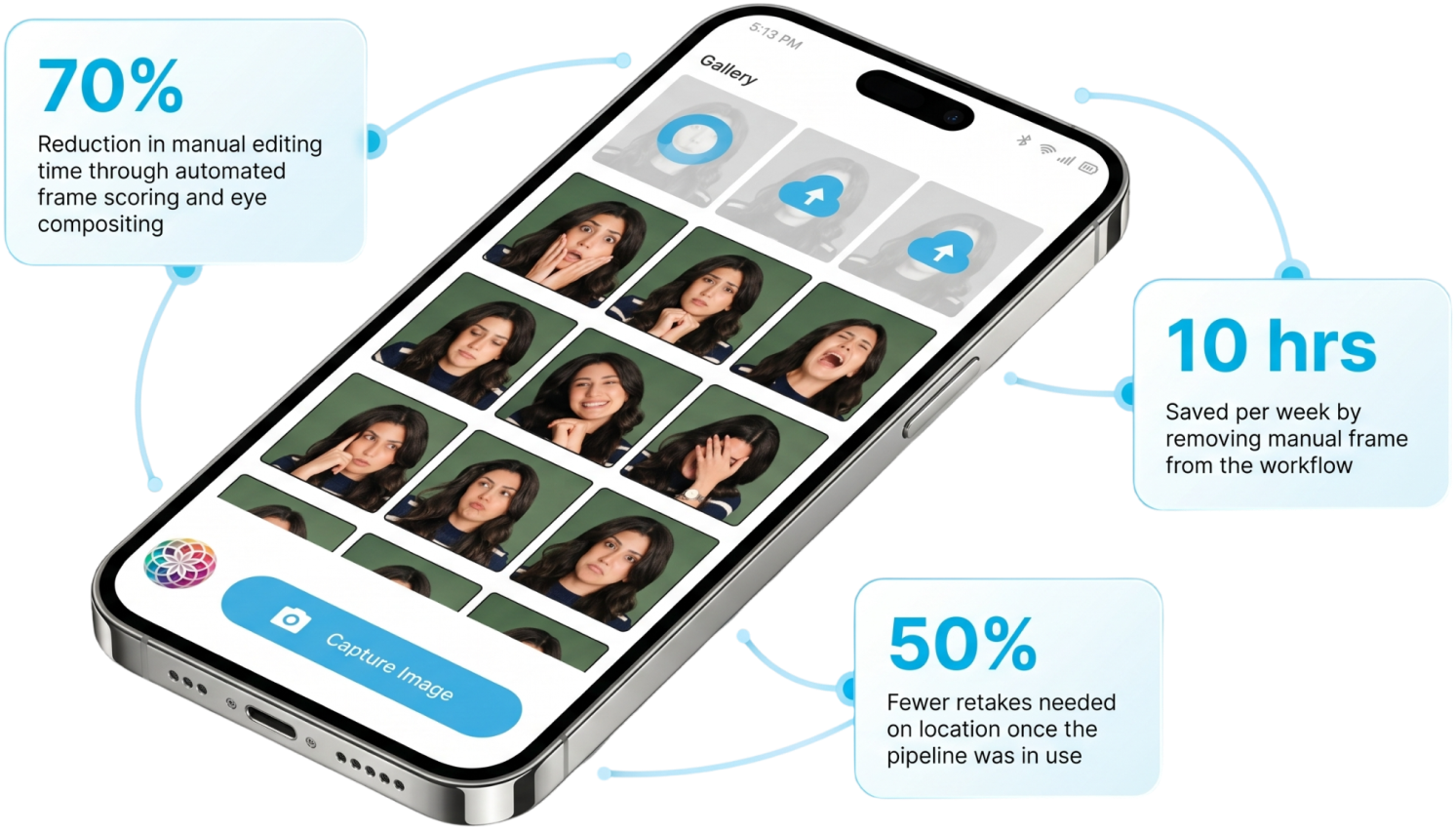
Reduction in manual editing time
Saved per week on frame scrubbing
Fewer retakes needed on location
Group photos are hard. Someone always blinks. Someone always looks away. The moment passes, and the only option is a retake or an hour of manual frame scrubbing to find the one usable shot.
Len Davis came to Tezeract with a clear problem and a clear product vision. He wanted to build an AI photo-editing tool that could take a short video clip, automatically extract the best group frame, fix closed eyes as needed, and enhance the final image, all in a single app. No manual scrubbing. No switching between tools. No retakes.
Tezeract designed and built the full Picture Perfect platform, from the computer vision pipeline and frame scoring engine to the face compositing layer, image enhancement module, and mobile-first UI, in six months.
Client Name
Len Davis, Picture Perfect
Industry
Social, Entertainment
Business Model
B2C subscription app targeting event attendees, content teams, and travelers who need clean group photos without manual editing
Location
Canada
Product
Picture Perfect AI Photo Editing App
Duration
6 months
Pain Point
Users recording short video clips to capture group moments but spending up to an hour manually scrubbing frames to find one usable shot where nobody is blinking or blurry
The Challenge
01
The core problem was not image quality. It was time and effort. Recording a short clip instead of a single photo is already a common workaround for group shots. The real issue was everything that came after: manually scrubbing through frames, identifying the best one, fixing closed eyes in a separate tool, and enhancing the final image in yet another app.
Users needed a single workflow to handle it all. An AI photo editing tool that could go from raw video to a clean, enhanced group photo without requiring any manual steps in between.
A 10-second video at 30fps produces 300 frames. Evaluating each one manually for eye openness, expression quality, sharpness, and motion blur is not a realistic user task.
02
A frame that is perfect for one person may have a closed eye or blurred face for another. The scoring logic needed to evaluate every face in every frame simultaneously.
03
Replacing a closed eye with an open one from a different frame requires precise face alignment, natural blending, and consistent lighting. Errors are immediately visible.
04
Enhancement needed to improve quality without introducing artifacts, oversaturation, or an obviously edited look.
05
The full pipeline, frame extraction, face detection, scoring, compositing, and enhancement, needed to run fast enough for a mobile-first product used at live events.
06
Event photographers and content teams needed to queue multiple clips and process them in parallel without waiting inside the app.
07
Without automation, the product had no differentiation. Any app that required manual frame selection and a separate editing tool was just a slightly better version of the existing workflow. The value proposition depended entirely on the pipeline working end-to-end with no manual steps required.
Journey Overview
Len evaluated three paths before committing to a build partner.
The evaluation came down to the following questions:
Tezeract answered all with a concrete technical plan, a phased delivery schedule, and clear acceptance criteria tied to scoring accuracy and compositing quality. The decision moved from the first conversation to an approved scope in under two weeks.
The Solution
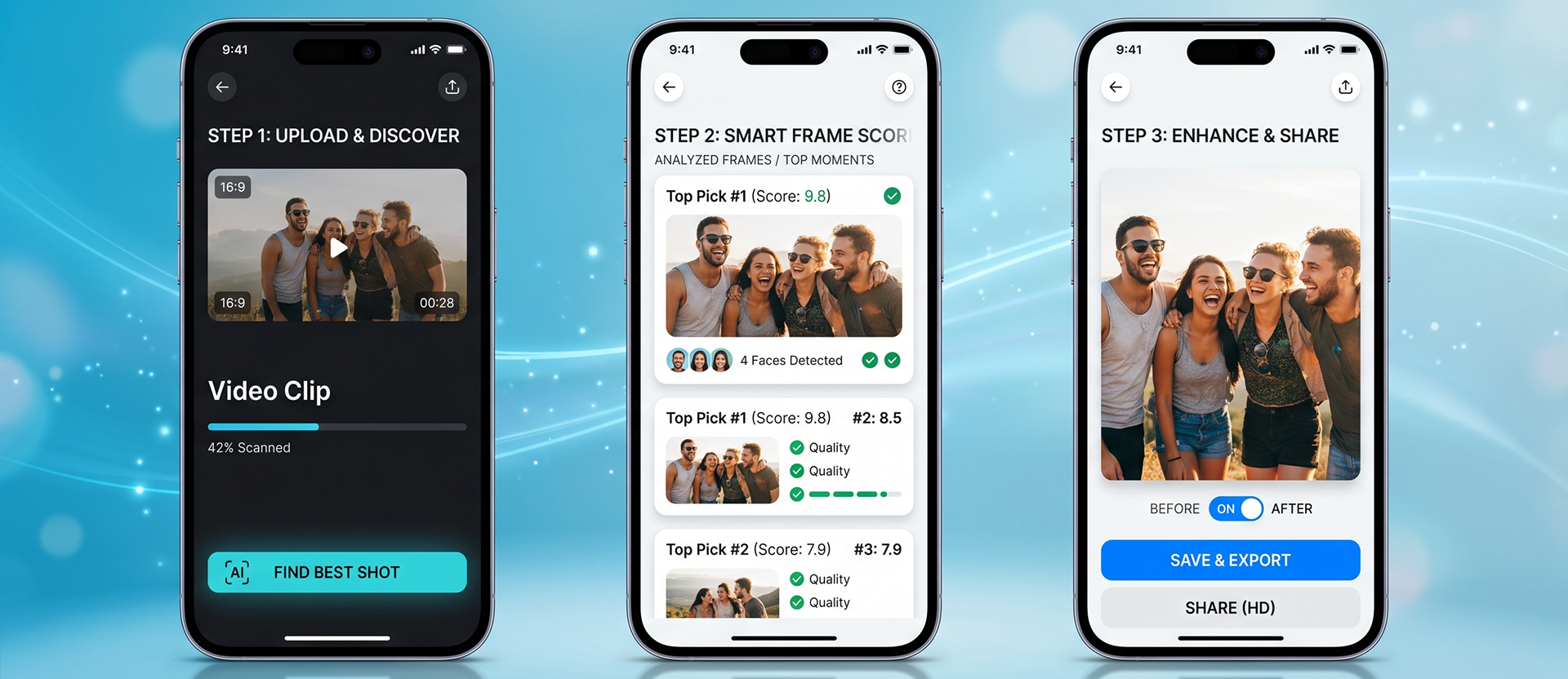
Picture Perfect is a fully custom computer vision pipeline built around one principle: the best group photo already exists inside the video clip. The app’s job is to find it, fix it where needed, and enhance it without asking the user to do any of it manually.
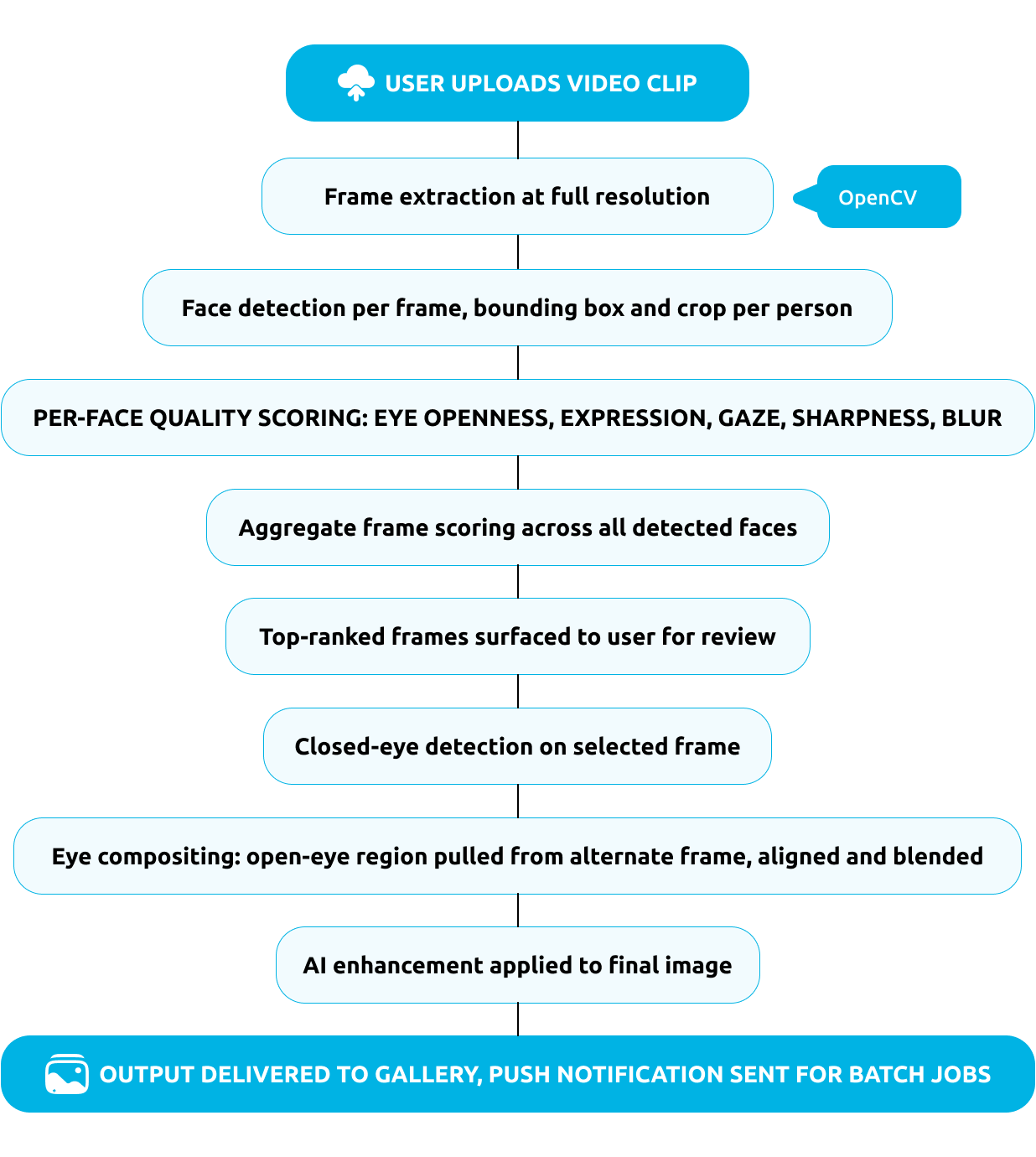
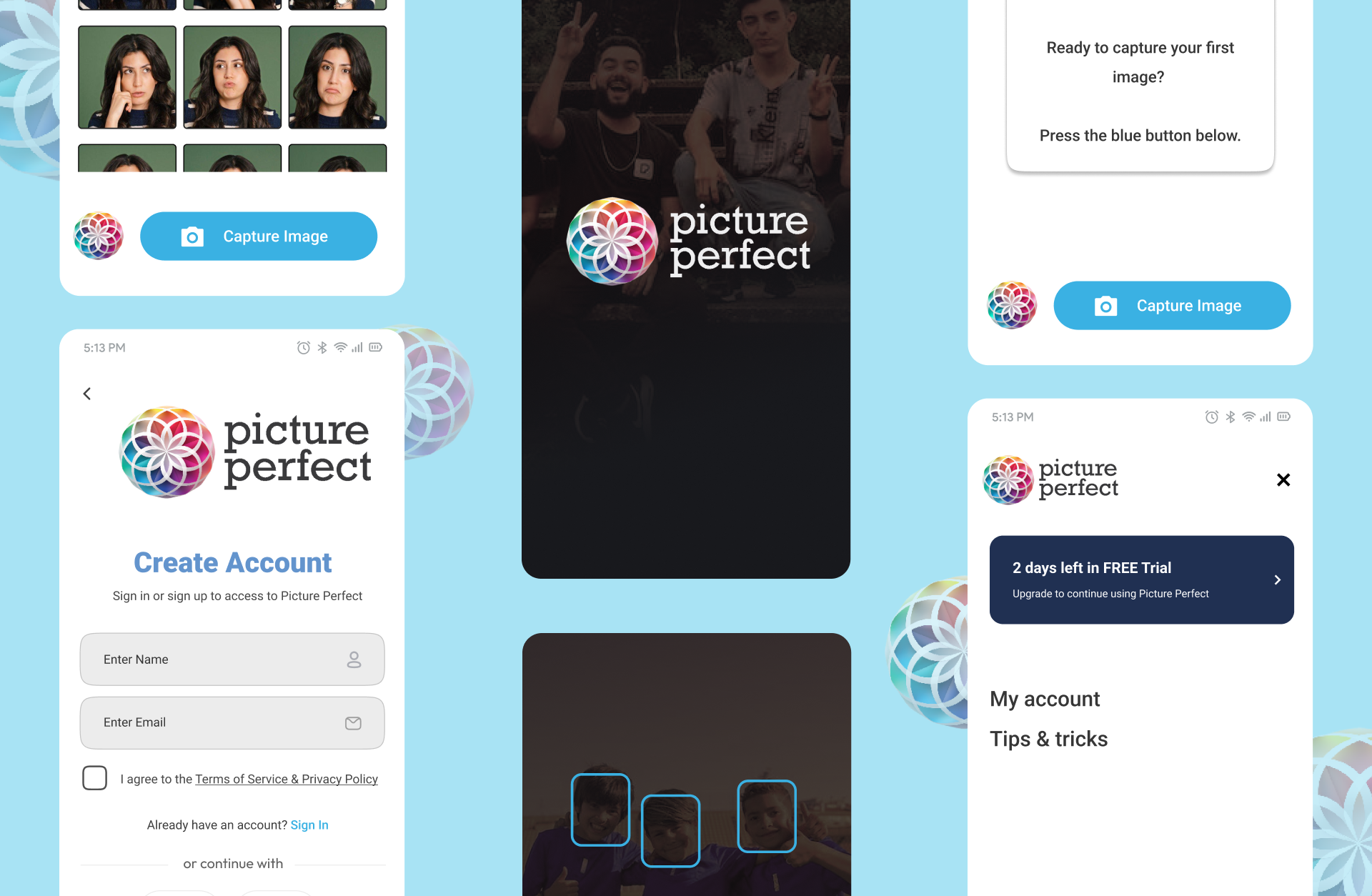
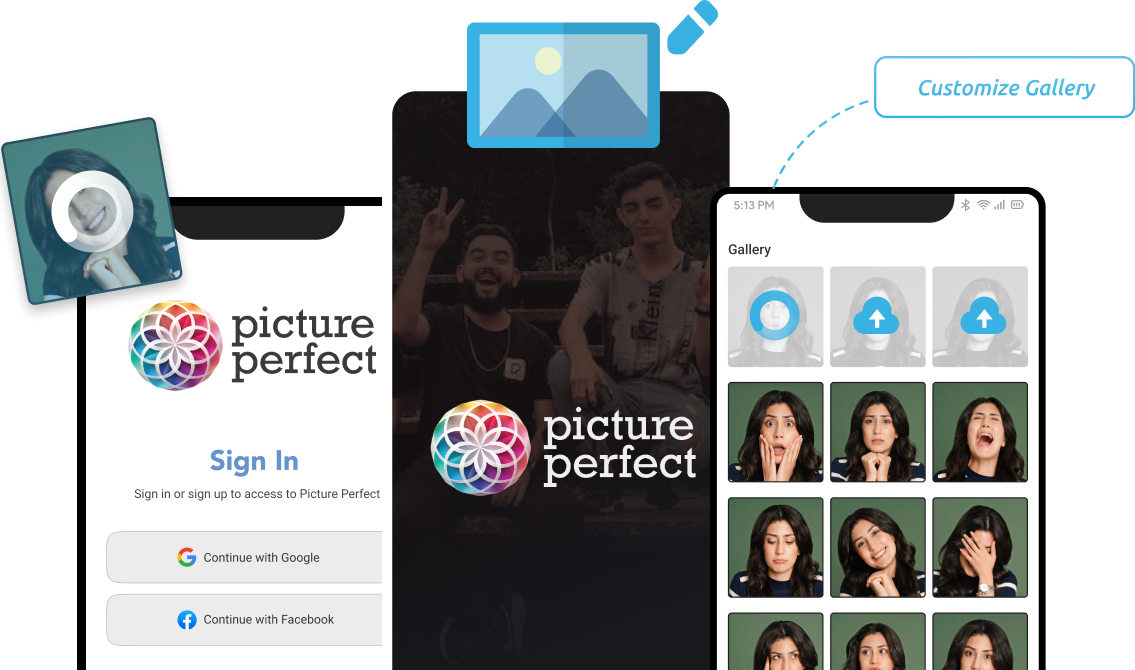
A user opens the app, uploads a short video clip, and taps one button. The pipeline extracts every frame, detects and crops every face, scores each frame across multiple quality dimensions, and surfaces the top-ranked group shots. If the best frame has a closed eye, the compositing layer pulls the open-eye version from another frame and blends it in naturally. The final image is then enhanced and delivered to the gallery, ready to share.
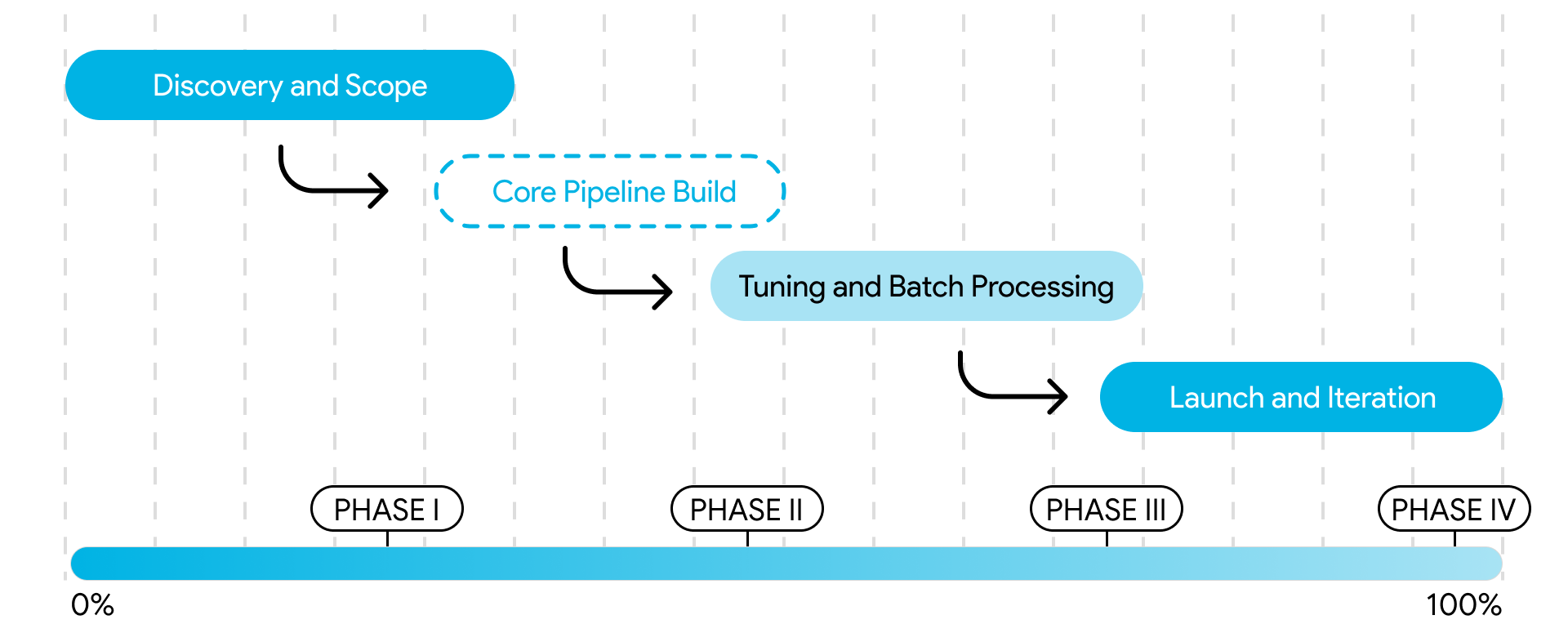
Tezeract delivered Picture Perfect in four structured phases over six months, with weekly sprint reviews and real video samples used to validate scoring accuracy and compositing quality at every stage.
01
Mapped the full pipeline requirements: frame extraction parameters, face detection thresholds, scoring dimensions, compositing logic, enhancement targets, and batch processing architecture. Defined acceptance criteria for scoring accuracy and compositing naturalness.
Key milestone: Scope approved. Scoring rubric, compositing logic, and pipeline architecture signed off.
02
Built the frame extraction engine, face detection layer, multi-dimensional scoring system, and initial compositing module. Integrated OpenCV, DeepFace, and the enhancement pipeline. Built the React Native mobile frontend and FastAPI backend.
Key milestone: First end-to-end pipeline run on real video samples with scored output delivered to the gallery.
03
Tested scoring accuracy across varied lighting conditions, group sizes, and camera quality. Refined compositing blending for natural eye replacement. Built the batch processing queue, push notification system, and Stripe subscription billing.
Key milestone: Scoring accuracy and compositing quality targets met across primary test conditions.
04
Deployed the full platform on AWS. Monitored usage patterns, refined scoring thresholds based on early user behavior, and expanded enhancement options for low-light and outdoor conditions.
Key milestone: Platform live with active users and stable performance across event and casual use cases.
Scoring accuracy across varied lighting and camera quality
Compositing artifacts on eye replacement
Batch job management for event teams
Privacy handling for uploaded video content
Pipeline speed on mobile hardware
Tuned scoring thresholds per lighting condition category; added a fallback ranking layer for low-confidence frames
Implemented landmark-based face alignment before blending; used alpha masking to match skin tone and lighting at the replacement boundary
Built a dedicated queue with job status tracking and push notifications so teams could submit multiple clips and return to results without waiting
Implemented short-retention policies for source video, encrypted storage for outputs, and role-based access controls for team accounts
Offloaded heavy processing to the FastAPI backend; used async job queuing so the app remained responsive during processing
Picture Perfect delivered results where the product needed them most: speed, accuracy, and a workflow that required no manual steps.
Reduction in manual editing time through automated frame scoring and eye compositing
Saved per week by removing manual frame scrubbing from the workflow
Fewer retakes needed on location once the pipeline was in use
1
Record a short clip and get a clean group shot with no manual scrubbing or retakes required
2
Fix closed eyes and missed expressions automatically without any compositing skills
3
Enhance the final image inside the same app without switching to a separate editing tool
4
Review ranked top picks and confirm the best shot in seconds
1
Queue multiple clips and process them in parallel without waiting inside the app
2
Receive push notifications when results are ready and review outputs directly from the gallery
3
Deliver clean, organized photo outputs faster without hunting through camera rolls or requesting reshoots
1
Capture the moment on video and let the AI handle frame selection and quality improvement
2
Build a clean, organized gallery of group shots without manual curation or editing sessions
3
Spend less time fixing photos and more time creating content
Picture Perfect’s roadmap moves the platform from a group photo tool into a full AI-powered visual memory layer. The next phase introduces real-time preview scoring so users can see frame-quality signals while still recording, expanded enhancement options for low-light and outdoor conditions, and a social-sharing layer that lets users publish directly from the gallery.
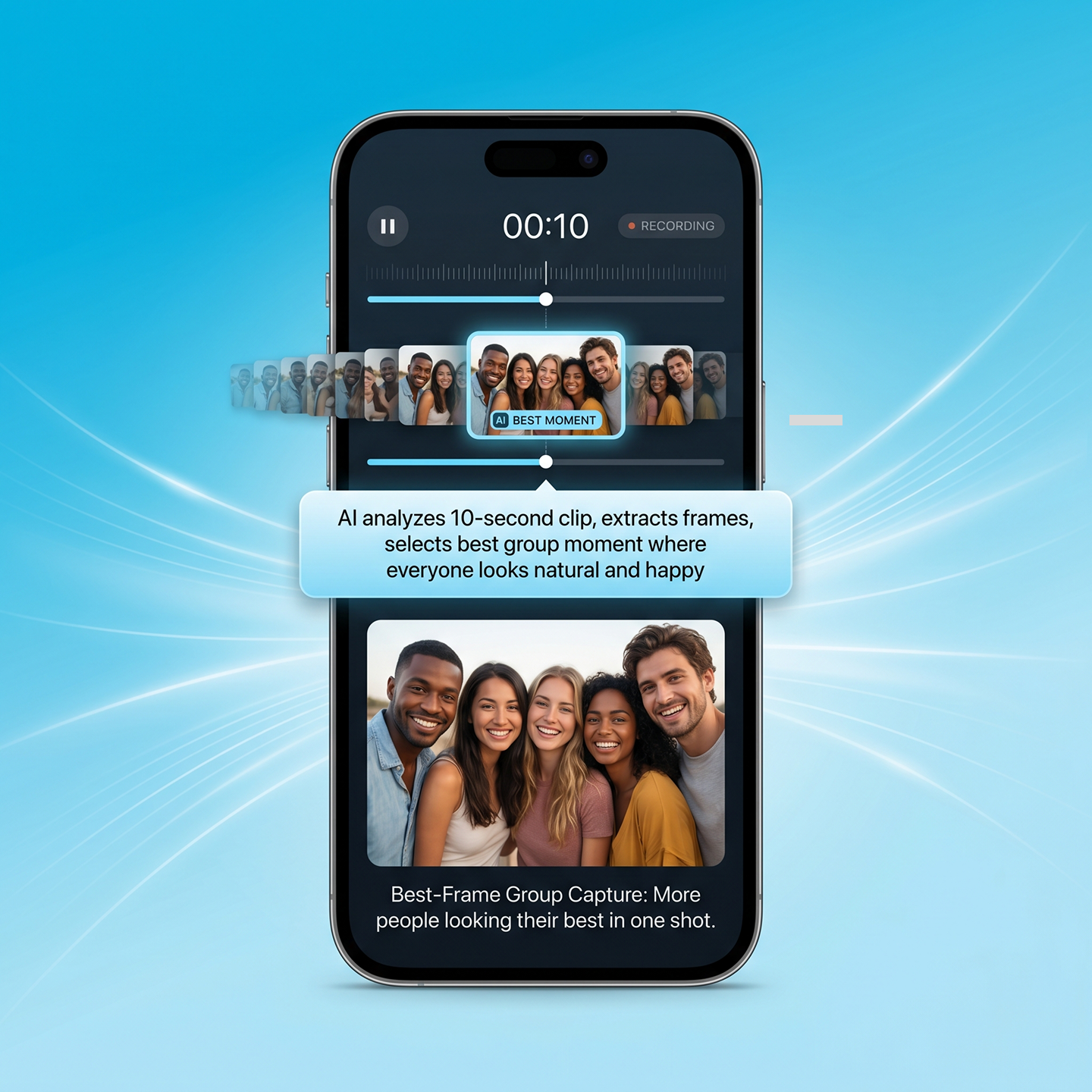
Records a 10-second clip, then uses computer vision for photo editing to extract frames from video and pick the best group moment so more people look their best in one shot.
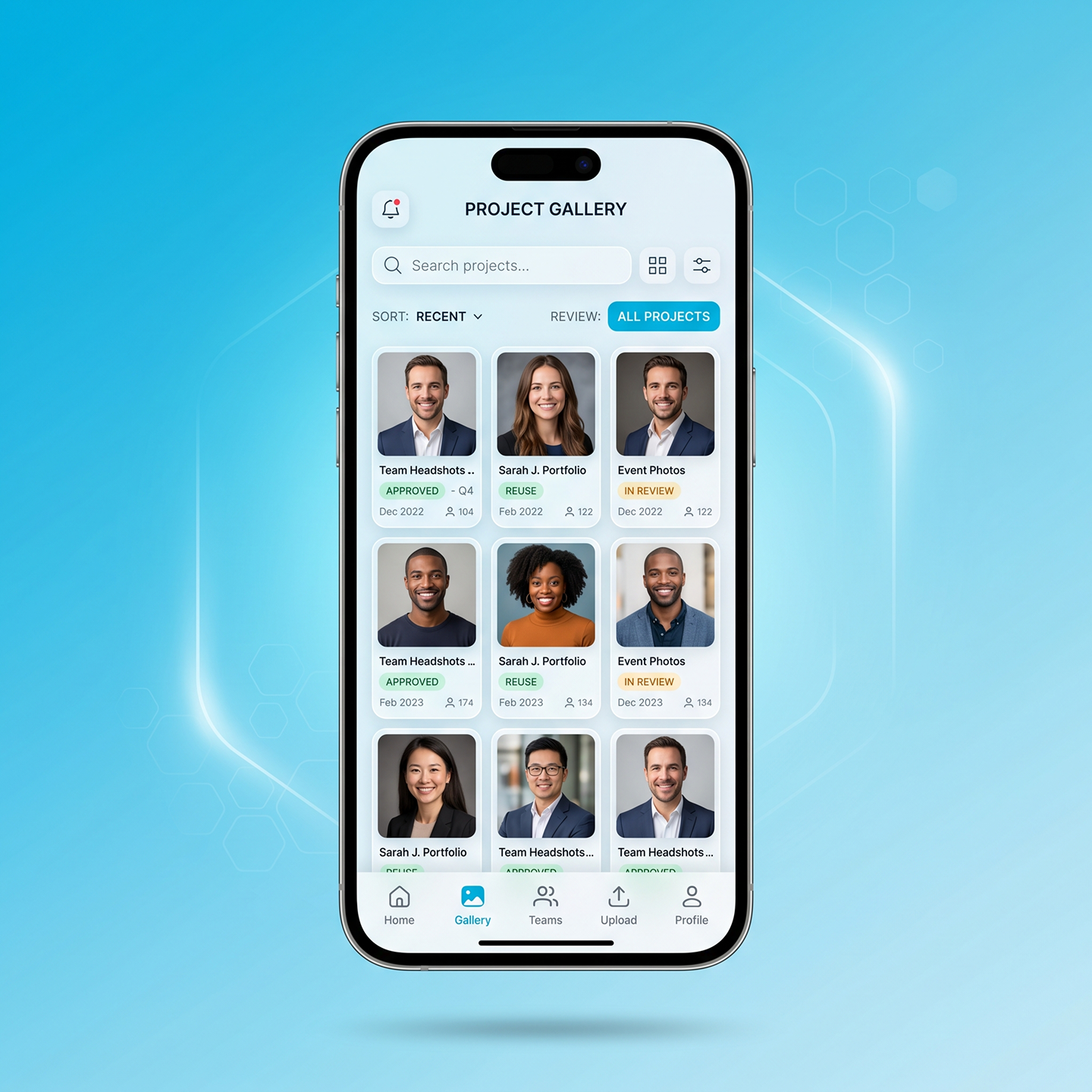
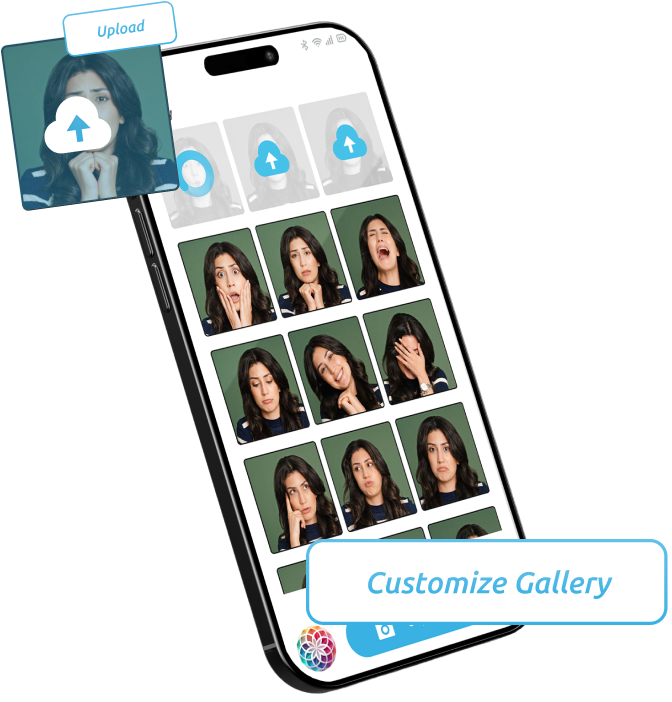
Saves each finished portrait in a clean gallery, so teams can sort, review, and reuse images without hunting through camera rolls.
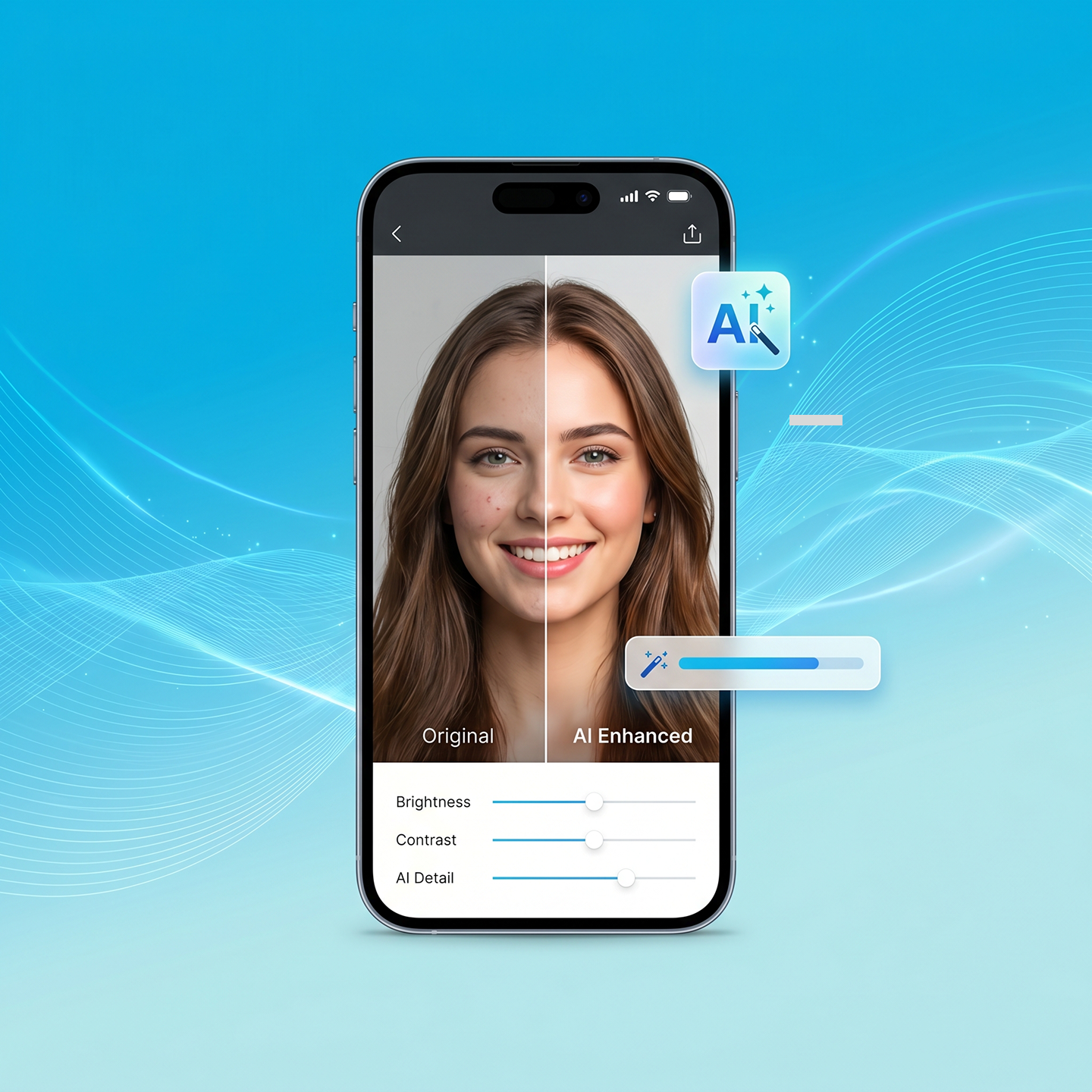
Offers quick edits with AI photo enhancement technology, so users can enhance image using ai and fine-tune the final portrait before saving or sharing.
What potential use cases AI have?
Picture Perfect helps teams turn short videos into usable portraits without long edits. It acts like custom ai powered photo editing tools built for real group moments, not perfect studio shots. The result is a faster path from video to publish-ready image.
Group photos at birthdays, weddings, and travel moments where retakes are not always possible. The app handles the frame selection and eye-fix automatically, so the moment is captured even when the timing was imperfect.
01
High-volume shoots where manual frame review is not practical. Batch processing lets teams submit an entire event’s worth of clips and receive clean outputs before the event wraps. Consistent output quality without consistent manual effort.
02
Short video clips captured during shoots, collaborations, or travel that contain the right moment but not the right frame. The scoring engine finds the best group shot so creators can focus on content, not curation.
03
Team photos, event coverage, and brand content where output quality needs to be consistent and delivery needs to be fast. The pipeline removes the manual editing step from the workflow entirely.
04
Picture Perfect demonstrates what becomes possible when computer vision for photo editing is built around the actual problem users face, not around what existing APIs can already do.
Whether you are building a consumer photo app, an event photography platform, or a content tool that needs an automated image quality layer, Tezeract can design and build it. We do not adapt templates. We build for your pipeline, your users, and your output standards.
Ready to build an AI photo editor app that works in real conditions? Let’s talk.
Picture Perfect is built to Extract frames from video in a controlled way, then rank those frames based on what matters in group photos. The system first reads the clip and runs extract frame from video at a set interval or across all frames, based on the use case. After that, it checks each frame for signals that affect business outcomes, like whether faces are sharp, eyes are open, and expressions look natural.
This is where computer vision for photo editing does the heavy lifting. It detects faces, measures face clarity, checks eye openness, and scores the frame. For group scenes, the best “overall” frame is often not enough, so Picture Perfect can also choose the best face per person across multiple frames. That reduces cases where one person blinks in the best group moment.
The output is not a random pick. It is a ranked set of top results, so teams can trust the process and still review quickly when needed.
Yes, this is a core problem Picture Perfect targets. In group photos, someone blinking is normal, so “Fix closed eyes in photos” becomes a repeat request for teams that ship content fast. Picture Perfect approaches this by treating each face as its own item to evaluate, not just the whole frame.
The system checks eye openness per person across many frames. If the best overall frame has one or two people with closed eyes, the workflow can select a better face for those people from nearby frames. This is part of AI to solve imperfect group photos at scale. It reduces the need for manual compositing skills and cuts the time spent fixing group-photo flaws.
This also helps event teams who cannot do retakes. Once the moment is gone, a better frame choice is the only option. The tool aims to produce a result that looks natural, not like a pasted face, by keeping lighting and alignment consistent.
Video frames often look worse than a real photo because of motion blur, compression, and low light. Picture Perfect addresses this with frame and face quality checks before it picks a final result. The system measures sharpness and motion blur at the frame level, then checks face crops for detail. This helps stop a “best moment” frame from winning if it is unusable for marketing or client delivery.
These checks also support trust. Many teams do not want an auto-pick that looks wrong, so the system ranks frames with automated photo quality scoring and can present top options. In practice, this reduces time spent scrubbing video to find one clean still.
For tougher clips, the workflow can include video frame quality enhancement steps after selection, so the chosen frame holds up better. If a clip has heavy blur in most frames, the system can fall back to the least-blurry option and still help the team avoid a full manual search.
Natural output matters because teams worry about “over-edited” results that look fake. Picture Perfect uses AI photo enhancement technology as a controlled finishing step, not as an excuse to over-process the image. The goal is to correct common issues that happen after frame extraction, like low contrast, noise, and uneven lighting, while keeping skin texture and facial detail realistic.
This is also why the workflow is built around choosing better frames first. When the input is cleaner, you need less enhancement. Then users can enhance image using ai with light adjustments, like exposure balance, color correction, and small clarity improvements. This keeps the final photo consistent with the original moment.
For business teams, the practical benefit is less back-and-forth. The content looks credible, clients are less likely to ask for rework, and internal reviewers trust the output. This reduces the manual touchups that often follow an extracted still, especially for event content.
Computer vision for photo editing is the part of the system that understands what is happening inside each frame. It detects faces, tracks where they are in the image, and checks face-level details like eye openness, expression quality, and sharpness. In a group scene, this matters more than picking a frame that looks good “overall,” because one person blinking can ruin the shot.
It also supports quality scoring. Computer vision can estimate blur and detect when faces are too small, blocked, or badly lit. That helps the tool avoid frames that look fine at first glance but fail when used for a campaign image or a client deliverable.
In Picture Perfect, computer vision works together with ranking logic to reduce manual steps. The team does not have to scrub through a timeline, export screenshots, and compare many near-duplicates. The system can Extract frames from video, score them, and present top options quickly.
This is why businesses view it as more than a photo app. It becomes a workflow tool for faster delivery and fewer retakes.
Group photos fail in predictable ways: blinking, uneven smiles, awkward timing, and motion. Solving that at scale needs advanced computer vision solutions focused on face-level signals, not just image-level scoring. Picture Perfect uses face detection and per-face scoring to judge eye openness and expression quality, then uses a group-level decision to choose the best output.
For mixed expressions, a single “best frame” may not exist. In those cases, a face-level merge approach can pick the best face per person across frames and rebuild the final group shot. That is a practical way to apply AI to solve imperfect group photos in real conditions. It also reduces the need for retakes, which is often impossible after an event.
This approach is valuable for business teams because it aligns with the real goal: one usable image where the group looks good enough to publish. It also improves consistency across outputs, so the team spends less time debating which frame is “best” and more time shipping content.
Yes, batch processing is often the difference between a fun demo and a real business tool. Picture Perfect can be designed to Extract frames from video across many clips and process them in a queue. This fits event teams, agencies, and marketing teams that handle large volumes.
Batch processing works best when the workflow is built as jobs. Each clip becomes a job with clear states, like uploaded, processing, ready for review. The system can send alerts when results are ready, so editors do not sit and wait. This saves time and reduces the hidden cost of switching between tools.
Batch support also helps standardize outputs. Teams can apply the same quality rules, the same scoring logic, and the same enhancement settings across a full campaign. It reduces manual selection fatigue and speeds approvals.
If you need it, the system can export top-ranked frames, the final rebuilt group shot, and a small set of alternates for review.
This depends on product scope. Picture Perfect focuses on producing a strong still image, since most business use cases need a photo for web, social, or client delivery. Still, many users ask to convert video to live photo for iOS sharing and personal encourage use. A video to live photo converter feature can be added as an output option if it supports your growth goals.
From a build view, there are two outputs:
The reason businesses often start with stills is quality control. Live Photo outputs can hide blur with motion, while stills expose quality issues right away. If your users want both, the system can support both and keep one scoring and selection engine underneath. That keeps the workflow consistent while expanding output formats.
Picture Perfect is not a standalone template. It is a custom build that can fit your product and workflow. Most teams want a simple front-end, like a mobile app or web app, plus a backend that manages users, jobs, and files. Video and image storage can sit in your cloud storage, and the AI service can run as a separate service that processes clips.
A common setup looks like this:
This structure supports scale, audit, and reliability. It also makes it easier to add features later, like batch runs, more editing controls, or new output formats. For business leaders, the value is clear ownership of the workflow, data, and user experience.
ROI is easiest when you measure what the tool replaces. With ai powered photo editing tools, the common savings come from fewer retakes, less time scrubbing video, and fewer manual touchups. You can measure:
A simple ROI model uses placeholders:
You can also include soft benefits that matter to decision-makers: fewer missed deadlines, less stress on editors, and more consistent quality. A strong AI-powered photo editing case study ties these numbers to business outcomes, like faster launches and lower revision cycles.
Trust breaks when the tool picks a frame that looks “almost right” but has a small problem like blinking or blur. Picture Perfect reduces wrong picks by using ranking logic that matches human review. It scores faces and frames based on signals that people care about, like eyes open, clear faces, and natural expressions. That is part of AI to solve imperfect group photos in a way teams can accept.
Two design choices increase trust:
Over time, you can tune scoring by reviewing misses. If a team keeps rejecting frames due to one issue, that signal becomes part of the score. This improves accuracy and reduces manual work without removing human control.
For business users, the goal is not perfection on every clip. The goal is high confidence results most of the time, with fast review when needed.
Privacy is a real buyer concern because videos can include faces, locations, and sensitive moments. Picture Perfect can support different privacy levels based on your needs and risk profile. At a basic level, you control where files are stored, how long they are kept, and who can access them. Most teams set short retention for source videos and longer retention for final images.
Common privacy options include:
This matters for enterprise buyers who need compliance and clear governance. The system design can also separate identity data from media storage, which lowers risk. If you need on-device processing, it can be explored, yet it often comes with performance and quality limits for frame extraction and enhancement.
We help businesses by automating their processes and developing customized end-to-end AI solutions that deliver proven ROI.