TL;DR
The difference between workflow automation and process automation comes down to scope: workflow handles task sequences, process transforms entire operations.
Decision-makers should care because choosing the right automation type determines ROI, scalability, and whether you’re fixing symptoms or solving root problems.
Workflow automation excels at departmental efficiency (approvals, notifications, handoffs), while process automation tackles end-to-end transformation across systems and teams.
When to use workflow automation vs process automation depends on your goal: quick wins and task optimization versus strategic operational overhaul and compliance.
Future-ready organizations combine both approaches, starting with high-impact workflows and scaling to comprehensive process automation as maturity grows.
What Actually Separates Workflow Automation from Process Automation
Last month, I watched a VP of Operations nearly lose it during a vendor demo. The sales rep kept using “workflow” and “process” like they meant the same thing. They don’t. And that confusion? It costs businesses thousands in misallocated automation budgets.
Here’s what I’ve learned after helping dozens of companies figure this out: workflow automation handles the sequence of tasks within a specific function, while process automation orchestrates entire business operations across multiple systems and departments. Think of workflow as optimizing the steps in your approval chain. Process automation redesigns how your entire order-to-cash cycle works.
The distinction matters because picking the wrong one is like bringing a screwdriver to a demolition job. You’ll waste time, money, and probably make things worse.
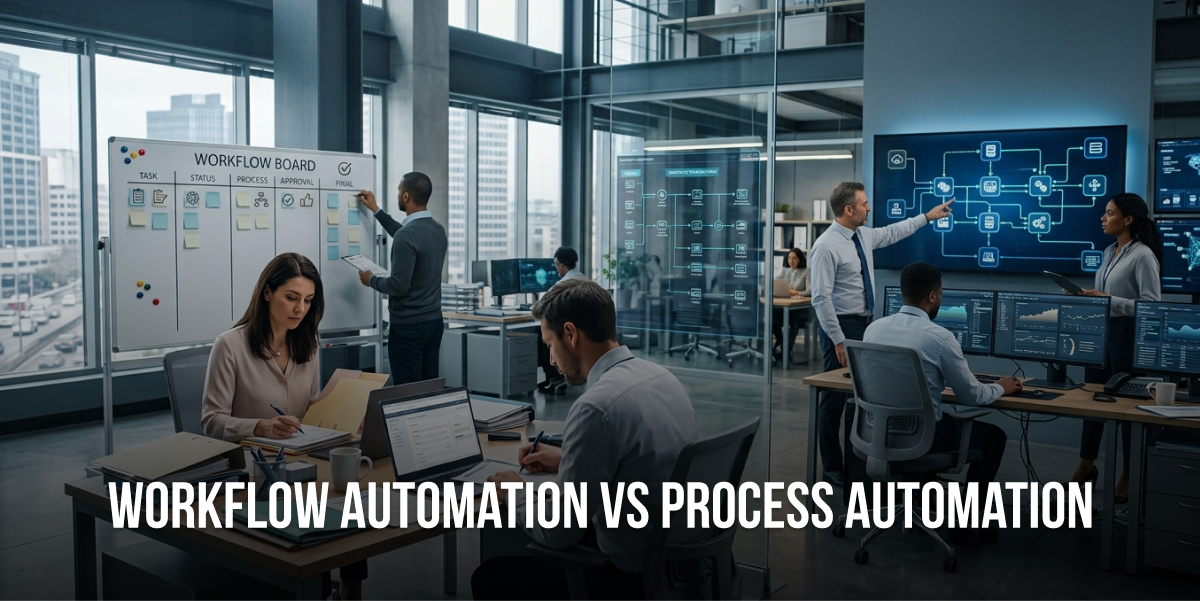
Workflow automation focuses on the “how” of getting individual tasks done. It’s the digital equivalent of creating a better assembly line for a single station. You’re automating the handoffs, notifications, and approvals within a contained area. A marketing team using workflow automation might set up automatic content approval routing, where drafts move from writer to editor to compliance to publication without anyone sending a single email.
Process automation, on the other hand, tackles the “what” and “why” of entire business operations. It’s not about making one step faster… it’s about reimagining how multiple departments, systems, and stakeholders work together. When a retail company automates their entire customer returns process, they’re connecting inventory management, customer service, finance, warehouse operations, and CRM systems into one intelligent flow.
I’ve seen companies spend six months implementing workflow automation when they actually needed process automation. The result? They made their broken process more efficient at being broken. That’s not progress, that’s just expensive frustration.
The Technical Reality Behind Each Approach
Workflow automation typically lives within a single application or department. You’re using tools like Zapier, Microsoft Power Automate, or built-in workflow engines in your CRM or project management software. The automation follows predefined rules: if this happens, do that. When someone submits an expense report over $500, route it to the CFO. When a lead score hits 80, notify the sales team.
These tools are brilliant for what they do. They eliminate the tedious back-and-forth, the “did you get my email” messages, the tasks that fall through cracks because someone was on vacation. But they don’t fundamentally change how your business operates.
Process automation requires heavier lifting. You’re typically working with Business Process Management (BPM) platforms, Robotic Process Automation (RPA) tools, or custom-built solutions that integrate multiple systems. According to a McKinsey study, organizations implementing comprehensive process automation see 20-35% efficiency gains across entire operations, not just individual tasks.
The technology stack looks different too. Process automation often involves API integrations, data transformation layers, decision engines, and sophisticated orchestration logic. You’re not just moving tasks along… you’re making intelligent decisions based on data from multiple sources, triggering actions across disconnected systems, and maintaining state across complex, long-running operations. This is where specialized business process automation services become invaluable, bringing expertise in applying AI and machine learning to automate both repetitive tasks and complex workflows across your entire technology ecosystem.
Real-World Examples That Make It Click
Let me give you something concrete. A mid-sized insurance company I worked with had a claims processing nightmare. Their initial instinct was workflow automation: speed up how claims moved from adjuster to supervisor to payment processing.
But when we mapped the actual process, we found the real problem wasn’t the handoffs. It was that claims data lived in seven different systems, adjusters spent 40% of their time hunting for information, and fraud detection happened manually at the end (when it was most expensive to catch).
Workflow automation would’ve made the broken process faster. Process automation transformed it. We built an end-to-end solution that automatically pulled data from all seven systems, ran AI-powered fraud detection upfront, routed claims based on complexity and adjuster expertise, and integrated directly with payment systems. Claims processing time dropped from 12 days to 2.5 days.
That’s the difference. Workflow automation optimizes steps. Process automation eliminates unnecessary steps and reimagines the entire operation.
When Workflow Automation Is Your Best Move
Not every problem needs the nuclear option. Sometimes workflow automation is exactly what you need, and honestly, it’s where most companies should start.
I recommend workflow automation when you’re dealing with repetitive task sequences that happen within a single department or system. If your team is drowning in manual handoffs, approval bottlenecks, or notification chaos, workflow automation delivers fast wins without requiring a complete operational overhaul.
The Sweet Spot for Workflow Automation
Workflow automation shines in these scenarios. First, when you need quick ROI and minimal disruption. A marketing team can implement content approval workflows in a week and immediately see results. No six-month implementation timeline, no enterprise-wide change management, no massive budget approval process.
Second, when the problem is clearly defined and contained. Your HR team spends three hours every Monday manually routing interview feedback to hiring managers. That’s a perfect workflow automation candidate. The inputs are known, the steps are predictable, the output is consistent.
Third, when you’re testing automation for the first time. I always tell companies: start with workflow automation to build organizational muscle. Get your team comfortable with automation concepts, prove value quickly, and create momentum for bigger initiatives.
Fourth, when budget constraints limit your options. Workflow automation tools are significantly cheaper than full process automation platforms. You can get started with tools like Zapier for $20/month or use built-in workflow features in software you already own.
Workflow Automation Examples That Actually Work
Let me show you what this looks like in practice. A sales team automates their lead qualification workflow: new leads from the website trigger automatic enrichment from data providers, scoring based on predefined criteria, assignment to the right sales rep based on territory and expertise, and personalized email sequences. The entire sequence runs without human intervention until a lead is qualified and ready for a call.
An accounting department automates invoice processing workflows: invoices arrive via email, get automatically extracted and categorized, routed to the appropriate approver based on amount and department, and queued for payment once approved. What used to take 5-7 days now happens in hours.
A customer service team automates their ticket routing workflow: support requests get automatically categorized by topic and urgency, assigned to specialists based on expertise and current workload, escalated if response time exceeds SLA thresholds, and closed with satisfaction surveys once resolved.
These are all legitimate, high-value applications of workflow automation. They solve real problems, deliver measurable ROI, and don’t require transforming your entire operation.
What to Do Next
Map your most painful manual task sequences. Spend an hour with your team identifying the repetitive tasks that eat up the most time. Look for processes with clear triggers, predictable steps, and consistent outcomes.
Start with one high-impact, low-complexity workflow. Pick something that happens frequently, annoys everyone, and doesn’t require integrating ten different systems. Get a win on the board.
Measure before and after. Track how long the manual process took, how many errors occurred, and what it cost in labor hours. Compare that to the automated version. Use those numbers to justify expanding automation.
When Process Automation Is the Only Real Solution
Sometimes you need to stop optimizing broken processes and actually fix them. That’s when process automation enters the conversation.
I push companies toward process automation when the problem spans multiple departments, involves several disconnected systems, or requires fundamental operational transformation. If you’re trying to improve customer experience, ensure regulatory compliance, or scale operations without proportionally increasing headcount, workflow automation won’t cut it.
The Strategic Case for Process Automation
Process automation makes sense when you’re dealing with end-to-end business operations that cross functional boundaries. Your order-to-cash process touches sales, finance, fulfillment, customer service, and inventory management. Automating just one piece creates a faster bottleneck somewhere else. You need to orchestrate the entire flow.
It’s the right move when compliance and auditability are non-negotiable. Financial services, healthcare, and manufacturing companies face strict regulatory requirements. Process automation embeds compliance rules directly into operations, maintains complete audit trails, and ensures consistent execution regardless of who’s working that day.
You need process automation when scaling is impossible with current operations. I worked with an e-commerce company processing 5,000 orders monthly. Their manual processes worked fine. Then they hit 50,000 orders monthly. Suddenly, they needed 10x the staff just to keep up. Process automation let them handle 200,000 monthly orders with only 2x the original headcount.
It’s essential when you lack visibility into operational performance. If you can’t answer questions like “where are our bottlenecks,” “how long does this actually take,” or “why did this fail,” you need process automation with built-in analytics and monitoring.
Process Automation Examples from the Real World
A healthcare provider automated their entire patient onboarding process: from initial appointment scheduling through insurance verification, medical history collection, consent form management, provider assignment, and electronic health record creation. The process connects their scheduling system, insurance verification APIs, document management platform, EHR system, and billing software. What used to take 45 minutes of staff time per patient now happens automatically in under 5 minutes.
A manufacturing company automated their supply chain exception management process: when inventory levels hit reorder points, the system automatically checks supplier availability, compares pricing across approved vendors, generates purchase orders, routes them for approval based on amount and category, sends orders to suppliers, updates inventory forecasts, and notifies production planning. The entire process runs across their ERP, supplier portals, approval systems, and planning tools without manual intervention.
A financial services firm automated their loan origination process: applications flow through credit checks, income verification, fraud detection, risk assessment, pricing calculation, document generation, approval routing, and funding… all orchestrated across credit bureaus, banking systems, document management, decision engines, and payment platforms. Processing time dropped from 7 days to 4 hours.
These aren’t just faster versions of manual processes. They’re fundamentally different ways of operating that weren’t possible before automation.
What to Do Next
Identify your most critical end-to-end processes. Look for operations that directly impact customer experience, revenue, or compliance. Map them completely, including every system, handoff, and decision point.
Quantify the cost of your current process. Calculate total cycle time, labor costs, error rates, and opportunity costs. Process automation requires bigger investment, so you need a solid business case.
Start with a pilot that proves value. Don’t try to automate everything at once. Pick one complete process, automate it end-to-end, measure results, and use that success to fund broader automation initiatives.
How to Actually Choose Between Workflow and Process Automation
Okay, so you understand the difference. Now you need to make a decision for your specific situation. Here’s the framework I use with clients.
The Decision Framework That Actually Works
Start by asking: does this problem live within one department or span multiple functions? If your marketing team needs better content approval routing, that’s workflow. If you’re trying to improve how marketing, sales, and customer success work together throughout the customer lifecycle, that’s process.
Next question: are you optimizing existing steps or fundamentally changing how work gets done? Workflow automation makes current processes faster and more reliable. Process automation reimagines operations from scratch. If you’re happy with what happens but frustrated with how long it takes, try workflow first. If the entire approach is broken, you need process automation.
Consider your integration requirements. Workflow automation typically works within or between a few connected systems. Process automation orchestrates many disparate systems that weren’t designed to work together. If you’re connecting your CRM to your email platform, that’s workflow territory. If you’re integrating ERP, CRM, inventory management, shipping systems, and accounting software, you’re in process automation land.
Think about decision complexity. Workflow automation handles straightforward if-then logic. Process automation manages complex decision trees with multiple variables, exceptions, and business rules. If your automation needs to consider dozens of factors and make nuanced decisions, process automation is the answer.
Evaluate your timeline and budget. Workflow automation delivers results in days or weeks with minimal investment. Process automation takes months and requires significant budget. If you need quick wins to build momentum, start with workflow. If you’re committed to transformation and have executive sponsorship, go for process.
The Hybrid Approach Nobody Talks About
Here’s what I actually recommend for most organizations: start with strategic workflow automation and evolve toward process automation. You don’t have to choose one forever.
Begin by automating high-impact workflows within departments. Get your teams comfortable with automation, prove ROI, and identify where workflow automation hits its limits. Those limits become your roadmap for process automation.
A retail company I advised started with workflow automation for inventory reordering within their purchasing department. Quick win, immediate value. Then they automated order fulfillment workflows in their warehouse. Another win. Eventually, they realized these isolated workflows needed to work together, which led them to implement comprehensive supply chain process automation connecting purchasing, warehousing, shipping, and customer service.
That progression makes sense. You build organizational capability, demonstrate value, and create demand for more sophisticated automation. According to Forrester research, companies that follow this staged approach achieve 40% higher automation ROI than those that jump straight to enterprise-wide process automation.
Red Flags That You’re Choosing Wrong
Watch out for these warning signs. If you’re implementing workflow automation but keep hitting integration walls, you probably need process automation. If your workflow automation project keeps expanding in scope to include more departments and systems, that’s a process automation project in disguise.
On the flip side, if you’re planning process automation but can’t articulate the end-to-end process you’re automating, you’re not ready. If stakeholders can’t agree on how the process should work, fix that before automating anything. And if you’re pursuing process automation just because it sounds more impressive, stop. Start with workflow automation and earn your way to process automation.
Common Mistakes That Sabotage Automation Projects
I’ve watched companies waste millions on automation projects that were doomed from the start. Here are the mistakes that kill automation initiatives.
Automating Broken Processes
This is the big one. Companies automate their current process without questioning whether that process makes sense. You end up with automated dysfunction… faster mistakes, more efficient waste.
Before automating anything, ask: should we even be doing this? Is there a better way? What would this look like if we designed it from scratch today? I’ve seen companies spend $200K automating a process that should’ve been eliminated entirely.
A logistics company automated their manual shipment tracking update process. Employees were spending hours each day manually entering tracking updates from carrier websites into their system. They built beautiful workflow automation that did this automatically. Six months later, they realized their shipping software had an API that could pull tracking data directly. They’d automated a workaround instead of fixing the root problem.
Ignoring the Human Element
Automation projects fail when you forget that humans have to work with these systems. I’ve seen technically perfect automation that nobody uses because it doesn’t fit how people actually work.
Involve the people doing the work in designing the automation. They know where the real pain points are, what exceptions happen, and what workarounds exist. They’ll also be your champions if they feel ownership, or your saboteurs if they feel threatened.
A customer service team rejected a beautifully designed ticket routing automation because it didn’t account for the informal expertise-based routing they’d developed over years. The automation was “correct” according to the org chart, but wrong according to reality. When they rebuilt it incorporating actual team knowledge, adoption went from 30% to 95%.
Underestimating Data Quality Requirements
Automation amplifies whatever you feed it. If your data is messy, inconsistent, or incomplete, automation will spread that mess at scale. I watched a company automate their lead routing process only to discover that 40% of leads had missing or incorrect data that made routing impossible.
Clean your data before automating. Establish data quality standards. Build validation into your automation. Otherwise, you’re just creating faster chaos.
Lack of Clear Success Metrics
How do you know if your automation worked? Too many companies can’t answer that question because they never defined success upfront. They automate something, declare victory, and move on without measuring actual impact.
Define specific, measurable goals before starting. Time saved, error reduction, cost per transaction, customer satisfaction improvement, compliance rate… whatever matters for your business. Track baseline metrics, measure post-automation performance, and calculate ROI. Use those numbers to refine your approach and justify future automation investments.
Not Sure Whether You Need Workflow or Process Automation?
The right approach depends on the complexity of your processes, systems, and business goals. Tezeract can help you identify where each type of automation fits your organization.
✅ You own 100% of your code.
✅ 100% confidential.
✅ NDA available before discussions.
The Future of Workflow and Process Automation
The automation landscape is shifting fast. Here’s where things are headed and what it means for your strategy.
AI Is Blurring the Lines
Traditional workflow and process automation followed rigid rules. AI-powered automation makes intelligent decisions, handles exceptions, and learns from outcomes. This changes what’s possible.
Workflow automation is getting smarter. Instead of simple if-then logic, you’re seeing AI that can understand context, predict outcomes, and adapt routing based on patterns. A customer service workflow might automatically escalate tickets based on sentiment analysis and predicted churn risk, not just keywords and wait time.
Process automation is becoming autonomous. AI agents can manage entire processes with minimal human intervention, making complex decisions that previously required human judgment. A procurement process might automatically negotiate with suppliers, evaluate bids based on multiple criteria, and make purchasing decisions within defined parameters. This is where agentic AI services are transforming the automation landscape, enabling autonomous AI agents capable of reasoning, planning, and executing complex business workflows that adapt to changing conditions in real-time.
According to IDC research, 65% of organizations will incorporate AI into their automation strategies by 2025, fundamentally changing what automation can accomplish.
Low-Code and No-Code Are Democratizing Automation
You used to need developers to build automation. Now, business users can create sophisticated workflows and processes using visual builders and pre-built components. This accelerates automation adoption and puts power in the hands of people who understand the business problems.
But there’s a catch. Easy-to-build doesn’t mean easy-to-do-right. I’m seeing an explosion of poorly designed automation created by well-meaning business users who don’t understand integration architecture, error handling, or scalability. The tools are accessible, but the expertise still matters.
Hyperautomation Is the New Goal
The future isn’t choosing between workflow and process automation. It’s combining both with AI, analytics, and intelligent decision-making into comprehensive hyperautomation strategies. Organizations are building automation fabrics that connect everything, from simple task automation to complex process orchestration to AI-powered decision-making.
This requires new thinking. You’re not just automating individual processes anymore. You’re creating an intelligent automation layer across your entire operation that continuously optimizes itself based on performance data and changing conditions.
How Tezeract Builds AI-Powered Automation Solutions
Most automation projects fail because companies focus on technology before understanding the problem. We’ve seen it dozens of times… organizations invest in powerful automation platforms and then struggle to figure out what to automate or how to measure success.
Tezeract takes a different approach. We start with your business problem, not the automation technology. Our problem-first methodology means we spend time understanding your operational pain points, mapping your actual processes (not what the documentation says), and identifying where automation delivers the highest ROI.
What makes our approach different is the production-first mindset. We don’t build prototypes or proof-of-concepts that never make it to production. Every automation solution we develop is designed to work in your real environment, handle your actual edge cases, and integrate with your existing systems. We’ve delivered 300+ projects across industries like finance, healthcare, retail, and manufacturing, so we’ve seen the patterns that work and the pitfalls that derail automation initiatives.
Our process automation services guide businesses in harnessing AI for automating workflows and enhancing operational efficiency across departments and systems. Whether you need targeted workflow automation or comprehensive end-to-end process transformation, we bring the technical expertise to deliver solutions that generate measurable business impact.
Our process starts with rapid assessment. We can evaluate your automation opportunities and build a working prototype in weeks, not months. This lets you validate the approach and see tangible results before committing to full implementation. We provide transparent pricing (typically $50K-$100K for comprehensive automation solutions) so you can make informed decisions without surprise costs.
Whether you need targeted workflow automation to solve departmental bottlenecks or comprehensive process automation to transform end-to-end operations, our enterprise AI development services help organizations move from AI strategy to production deployment with solutions that actually work in your environment.
We act as thinking partners, not just developers. That means challenging assumptions, recommending the right level of automation for your maturity and goals, and helping you build organizational capability to sustain and expand automation over time.
Ready to explore how automation can transform your operations? Schedule a 30-minute strategy session to discuss your specific challenges and discover whether workflow automation, process automation, or a hybrid approach delivers the best ROI for your business.
Making Your Automation Decision
You’ve got the framework. You understand the difference between workflow automation and process automation. You know when to use each approach. Now it’s time to make a decision and take action.
Start by honestly assessing where you are today. Map your most painful processes. Identify where manual work is killing productivity, where errors are costing money, where delays are frustrating customers. Quantify the impact in time, cost, and opportunity.
Then ask the critical question: are we trying to optimize tasks or transform operations? That answer determines whether you start with workflow automation or process automation. Remember, there’s no wrong choice… only the wrong choice for your specific situation and goals.
Build your business case with real numbers. Calculate current costs, project automation benefits, and estimate implementation investment. Get executive sponsorship by showing how automation supports strategic objectives, not just operational efficiency.
Start small, prove value, and scale systematically. The companies that succeed with automation don’t try to automate everything at once. They pick high-impact opportunities, deliver measurable results, and use those wins to fund broader automation initiatives.
The difference between workflow automation and process automation matters because it determines your approach, your investment, and your outcomes. Choose wisely, execute well, and you’ll transform how your organization operates. Choose poorly, and you’ll waste resources automating the wrong things in the wrong ways.
The opportunity is real. The technology is proven. The question is whether you’ll take strategic action or keep drowning in manual processes while your competitors automate past you.
Looking to Automate Your Business Processes?
Reduce manual work and improve operational efficiency with AI-powered process automation. Our team builds automation solutions around your existing workflows and systems.
✅ You own 100% of your code.
✅ 100% confidential.
✅ NDA available before discussions.
FAQs
What is the main difference between workflow automation and process automation?
Workflow automation focuses on optimizing task sequences within a single department or system, handling the “how” of getting specific work done through automated handoffs and approvals. Process automation orchestrates entire end-to-end business operations across multiple departments and systems, fundamentally transforming the “what” and “why” of how your organization operates. Workflow is tactical and contained, while process automation is strategic and comprehensive. Organizations working with specialized providers like Tezeract can leverage AI and machine learning to determine which approach delivers the highest ROI for their specific operational challenges.
When should I use workflow automation instead of process automation?
Use workflow automation when you need quick wins with minimal disruption, when the problem is clearly defined within one department, when you’re testing automation for the first time, or when budget constraints limit options. It’s ideal for automating repetitive task sequences like approval routing, notification management, and departmental handoffs that don’t require integrating multiple enterprise systems.
When is process automation the better choice for my business?
Process automation is essential when problems span multiple departments, involve several disconnected systems, require regulatory compliance and auditability, or when you need to scale operations without proportionally increasing headcount. It’s the right choice for transforming end-to-end operations like order-to-cash, customer onboarding, or supply chain management that cross functional boundaries. Enterprise AI development services can help organizations move from strategy to production deployment with solutions designed for real-world complexity.
Can I combine workflow automation and process automation?
Absolutely, and most successful organizations do exactly that. Start with strategic workflow automation within departments to build capability and prove ROI, then evolve toward comprehensive process automation as you identify where isolated workflows need to work together. This staged approach delivers 40% higher automation ROI than jumping straight to enterprise-wide process automation.
How do I measure ROI for workflow automation vs process automation?
For workflow automation, measure time saved per task, error reduction rates, and labor cost savings within specific departments. For process automation, track end-to-end cycle time reduction, cross-functional efficiency gains, compliance improvement rates, and scalability metrics like volume handled per employee. Always establish baseline metrics before implementation and calculate total cost of ownership including implementation, maintenance, and training.
What are the biggest mistakes companies make with automation implementation?
The most common mistakes include automating broken processes without redesigning them first, ignoring the human element and change management, underestimating data quality requirements, lacking clear success metrics, and choosing the wrong automation type for their actual needs. Companies also frequently fail by trying to automate everything at once instead of starting with high-impact pilots that prove value. Working with experienced automation partners can help avoid these pitfalls through problem-first methodologies that focus on business outcomes rather than technology implementation.
How is AI changing workflow and process automation?
AI is making workflow automation smarter by enabling intelligent decision-making, context understanding, and adaptive routing based on patterns rather than rigid rules. For process automation, AI enables autonomous management of entire operations with minimal human intervention, handling complex decisions that previously required human judgment. Agentic AI services are particularly transformative, deploying autonomous AI agents capable of reasoning, planning, and executing complex business workflows that adapt to changing conditions. By 2025, 65% of organizations will incorporate AI into their automation strategies, fundamentally expanding what automation can accomplish.
What is the typical timeline and cost for implementing each type of automation?
Workflow automation typically delivers results in days to weeks with minimal investment, often starting at $20-500/month for tools like Zapier or built-in platform features. Process automation takes months to implement and requires significant investment, typically ranging from $50K-$100K or more depending on scope and complexity. The timeline difference reflects the scope: optimizing contained tasks versus transforming end-to-end operations across multiple systems. Business process automation services can provide transparent pricing and rapid assessment to help organizations understand their specific investment requirements.