TL;DR
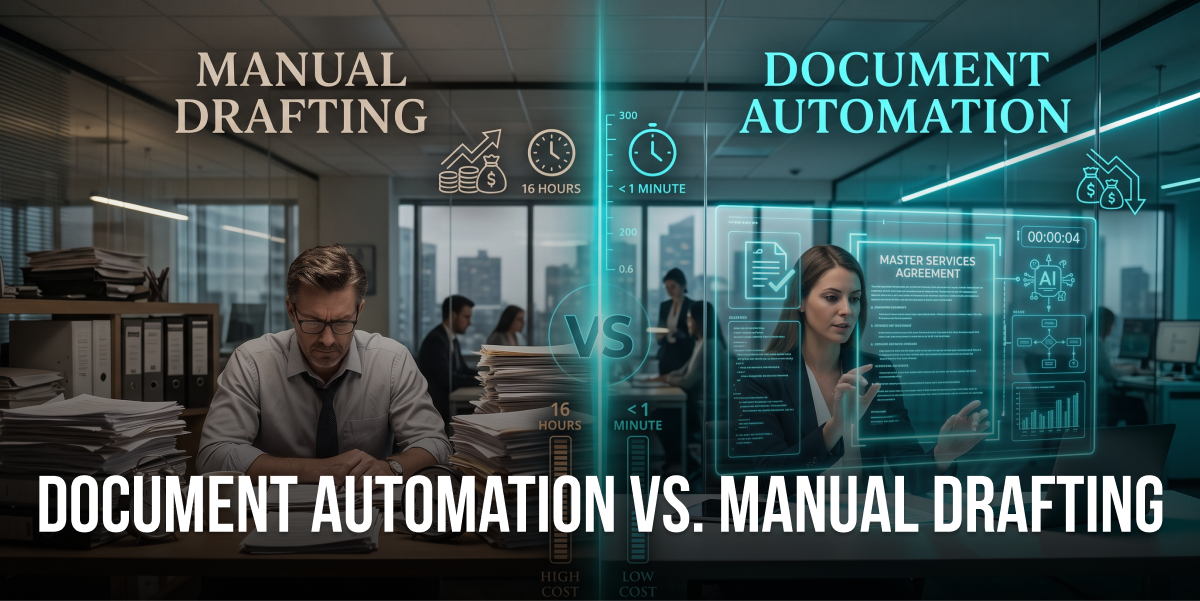
Document automation vs manual drafting isn’t just a tech upgrade, it’s a fundamental shift in how businesses operate and compete.
Decision-makers should care because automated vs manual legal drafting delivers 70-85% time savings, cuts operational costs by 40-60%, and eliminates the error rates that create legal exposure.
Our analysis reveals that benefits of document automation include rapid ROI (typically 6-12 months), effortless scalability without hiring, and compliance protection through built-in governance.
The cost comparison legal drafting data shows manual processes drain resources through hidden expenses: rework, storage, opportunity costs, and the productivity tax of repetitive tasks.
Future-ready organizations are leveraging legal drafting efficiency tools and AI-powered solutions to reclaim strategic focus, boost employee morale, and accelerate growth without bottlenecks.
Last month, I watched a legal operations director nearly put her head through her desk. She’d just discovered her team spent 847 hours in Q3 drafting contracts that could’ve been automated. That’s roughly $84,700 in labor costs, for repetitive work.
This isn’t an isolated case. Across industries, businesses are hemorrhaging time and money on manual document drafting while their competitors race ahead with automation. The gap between document automation vs manual drafting isn’t just about speed anymore. It’s about survival.
What I find interesting is that most organizations know they have a problem. They feel the pain of bottlenecks, the frustration of errors, the drain of operational costs. But they don’t have the numbers to make the case for change. So they keep doing what they’ve always done, watching their best people burn out on administrative drudgery while strategic initiatives gather dust.
This article breaks down the real costs, both obvious and hidden, of sticking with manual drafting. You’ll see actual time savings document automation delivers, understand the true ROI of automated drafting, and get the business case you need to finally make the shift. No fluff, no vendor pitches. Just the data that matters.
The Hidden Costs of Manual Document Drafting Nobody Talks About
When people calculate the cost of manual drafting, they usually stop at salaries. Big mistake. The real expense is way more insidious.
Labor Costs Are Just the Beginning
But here’s where it gets worse. Manual drafting costs extend far beyond the person doing the typing. You’ve got reviewers checking the work (another 2-4 hours per document), managers approving changes (30 minutes to an hour), and administrative staff handling version control and distribution (another hour). A single contract that takes 3 hours to draft actually consumes 6-8 hours of total organizational time.
Multiply that across hundreds or thousands of documents annually, and you’re looking at a resource drain that would make anyone want to throw their laptop out the window.
The Rework Tax Nobody Budgets For
I’ve seen contracts go through seven revision cycles because someone used an outdated template. Each cycle adds hours of work, delays deals, and frustrates everyone involved. One client told me they lost a $200K deal because their proposal had inconsistent pricing across sections. The prospect assumed they were either incompetent or trying to pull a fast one.
Rework doesn’t just cost time. It costs credibility, client relationships, and actual revenue. Plus, there’s the emotional toll on your team, who feel like they’re constantly cleaning up messes instead of doing meaningful work.
Opportunity Costs That Kill Growth
This is the cost that keeps me up at night. Every hour your skilled professionals spend on document drafting is an hour they’re not spending on strategy, innovation, or client relationships.
What could your team accomplish if they had 15-20 extra hours per week? New product development? Market expansion? Deeper client engagement? The businesses winning in their markets aren’t necessarily smarter, they’ve just freed their people to focus on what actually moves the needle.
According to McKinsey research, knowledge workers spend 60% of their time on work about work, searching for information, chasing approvals, and managing documents. That’s a staggering waste of human potential.
Scalability Limitations That Strangle Growth
Manual processes don’t scale. Period. When demand spikes, you have three terrible options: hire more people (expensive and slow), overwork existing staff (hello burnout), or turn away business (leaving money on the table).
I worked with a SaaS company that hit this wall hard. They landed three enterprise clients in one month, amazing news, right? Except their legal team needed to draft 47 custom agreements, and they only had capacity for maybe 20. They ended up delaying onboarding by six weeks, during which one prospect went with a competitor.
The scalability limitations of manual drafting create artificial ceilings on growth. You can’t expand faster than your document production capacity allows. That’s not a business strategy. That’s a prison.
Document Automation vs Manual Drafting: The Time Savings Breakdown
Now let’s talk about what actually changes when you automate. The time savings document automation delivers aren’t incremental. They’re transformational.
Real Numbers from Real Implementations
Standard contract that takes 3 hours manually? Automated in 20-30 minutes. Complex proposal requiring 8 hours of work? Done in 90 minutes. Routine NDAs consuming 45 minutes each? Generated in under 5 minutes.
One of my clients, a mid-market professional services firm, tracked their numbers obsessively. Before automation, their team spent 127 hours monthly on contract drafting. After implementing document automation, that dropped to 31 hours. That’s 96 hours reclaimed every single month, roughly 1,152 hours annually, or the equivalent of adding half an FTE without hiring anyone.
The benefits of document automation compound over time. As your template library grows and your team gets comfortable with the system, efficiency keeps improving. Six months in, that same client was down to 22 hours monthly for the same volume of work.
Where the Time Actually Goes in Manual Processes
Understanding automated vs manual legal drafting requires breaking down where manual processes waste time. It’s not just the typing.
Template hunting eats 15-20 minutes per document. Finding the right version, making sure it’s current, checking if it’s been approved, this administrative archaeology happens before you even start drafting. Then there’s data entry, which takes another 20-30 minutes depending on complexity. Copying information from emails, CRMs, or other documents, making sure everything’s accurate.
Formatting consistency takes longer than people admit. Getting headers right, ensuring clause numbering is sequential, matching brand guidelines, another 15-20 minutes easily. And don’t get me started on version control. Saving files with the right naming convention, tracking changes, managing multiple reviewers’ comments, that’s another 10-15 minutes of pure administrative overhead.
Add it all up, and you’re spending 60-90 minutes on tasks that have zero intellectual value before you even get to the substantive work. Document automation eliminates nearly all of this.
The Compounding Effect of Faster Cycles
Here’s something people miss when comparing legal drafting efficiency: speed doesn’t just save time. It changes behavior and creates new opportunities.
When drafting takes hours, you batch work. You wait until you have multiple documents to justify the time investment. You delay starting because the task feels overwhelming. You put off revisions because reopening the document means another hour of work.
When drafting takes minutes, everything changes. You respond to requests immediately. You iterate freely. You experiment with different approaches. You say yes to opportunities you would’ve declined because the administrative burden was too high.
A client in the consulting space told me their sales cycle shortened by 40% after implementing automation. Not because their sales process changed, but because they could turn around proposals and contracts same-day instead of waiting 3-5 business days. Prospects stayed hot instead of cooling off or talking to competitors.
That’s the real magic of time savings document automation, it doesn’t just make existing work faster. It enables entirely new ways of operating.
Cost Comparison Legal Drafting: Manual vs Automated ROI Analysis
Let’s get into the numbers that actually matter to decision-makers. What does the cost comparison legal drafting look like when you run the real math?
Direct Cost Savings You Can Measure
Start with labor. If your team spends 500 hours annually on document drafting at a blended rate of $75/hour (accounting for attorneys, paralegals, and admin staff), that’s $37,500 in direct labor costs. Document automation typically reduces this by 70-80%, saving $26,250-$30,000 annually.
The Real ROI Timeline for Document Automation
Most document automation implementations pay for themselves in 6-12 months. Here’s how that math typically works.
Implementation costs for mid-market businesses usually range from $25,000-$75,000, depending on complexity, number of document types, and integration requirements. Annual licensing and maintenance runs $10,000-$30,000. So you’re looking at $35,000-$105,000 in first-year costs.
Against that, you’re saving $40,000-$80,000 in direct labor costs, $15,000-$30,000 in error reduction, and $10,000-$20,000 in operational expenses. Total annual savings: $65,000-$130,000.
Even at the conservative end, you’re breaking even in 6-8 months. After that, it’s pure savings year over year. Plus, the benefits of document automation compound as you add more document types and your team gets more efficient with the system.
One manufacturing client I worked with calculated their ROI at 427% over three years. They spent $52,000 implementing automation and saved $221,000 in labor and error costs. But the real win? They scaled production by 35% without adding headcount in their contracts department.
Hidden ROI That Doesn’t Show Up in Spreadsheets
Numbers tell part of the story. The rest is harder to quantify but equally valuable.
Employee retention improves when you eliminate soul-crushing repetitive work. Replacing a skilled professional costs 150-200% of their annual salary according to SHRM. If automation helps you retain even one person who would’ve left out of frustration, that’s $75,000-$150,000 in avoided costs.
Client satisfaction increases when you respond faster and deliver error-free documents. What’s the value of not losing deals to competitors because your proposals took too long? Or avoiding the reputational damage of sending a client a contract with someone else’s name in it? (Yes, I’ve seen this happen. Multiple times.)
Strategic capacity is perhaps the biggest hidden benefit. When your team isn’t drowning in document administration, they can focus on high-value work. New business development. Process improvement. Innovation. These activities drive revenue and competitive advantage in ways that are hard to measure but impossible to ignore.
Benefits of Document Automation Beyond Time and Money
The cost comparison legal drafting data is compelling. But the benefits of document automation extend into areas that transform how businesses operate.
Accuracy and Consistency That Builds Trust
Automated systems don’t have bad days. They don’t get tired at 4:47 PM on a Friday. They don’t accidentally use the wrong template or forget to update a clause.
One financial services client told me their compliance team used to find errors in 23% of manually drafted client agreements. After automation, that dropped to 2.1%. The remaining errors were edge cases that required human judgment, exactly the kind of work humans should be doing.
Consistency matters more than people realize. When every document looks professional, uses current language, and reflects your brand properly, it builds trust. Clients notice. Prospects notice. Your team notices. It signals competence and attention to detail in a way that manual processes simply can’t match at scale.
Compliance Protection and Audit Readiness
Regulatory requirements change constantly. Keeping manual templates updated is like playing whack-a-mole while blindfolded. You’re always behind, always at risk.
Document automation platforms provide centralized control over templates and clauses. When regulations change, you update once and every future document reflects the change. No hunting through shared drives for old versions. No wondering if someone’s using an outdated template they saved locally.
The audit trail capabilities alone are worth the investment. Every document generation is logged, who created it, when, what data was used, what template version. When auditors or regulators come knocking, you can demonstrate compliance instantly instead of scrambling to reconstruct what happened.
Scalability Without the Growing Pains
This is where automated vs manual legal drafting becomes a strategic differentiator. Manual processes create artificial limits on growth. Automation removes them.
Need to generate 50 contracts this week instead of your usual 10? No problem. Expanding into a new market that requires localized agreements? Deploy new templates in days, not months. Onboarding a major client with complex documentation requirements? Scale instantly without hiring.
A healthcare client I worked with went from serving 12 facilities to 47 in 18 months. Their document volume increased 4x. Their contracts team? Stayed the same size. They would’ve needed to hire 3-4 additional people to handle that growth manually. Instead, they invested in automation and redeployed those budget dollars to clinical staff.
Scalability isn’t just about handling more volume. It’s about maintaining quality and speed as you grow. Manual processes degrade under pressure. Automated processes perform consistently whether you’re generating 10 documents or 10,000.
Employee Satisfaction and Strategic Focus
I’ve never met anyone who got into law, finance, or consulting because they were passionate about formatting documents and copying data from spreadsheets. Yet that’s where talented professionals spend huge chunks of their time in manual environments.
Document automation gives people their careers back. They can focus on analysis, strategy, client relationships, and problem-solving, the work they were actually hired to do. The work that uses their education and expertise. The work that’s actually fulfilling.
Employee engagement scores typically increase 15-25% after implementing automation, according to research by Gallup. People feel valued when you remove drudgery from their workday. They’re more productive, more creative, and way less likely to start browsing job boards.
One legal operations manager told me, “Automation didn’t just save us time. It saved my team’s sanity. People actually smile in meetings now instead of looking like they want to quit.”
Common Objections to Document Automation (And Why They’re Wrong)
Every time I present the case for automation, I hear the same concerns. Let’s address them head-on.
“Our Documents Are Too Complex to Automate”
This is the most common objection, and I get it. Your documents feel unique. They require judgment, customization, and expertise.
Here’s the thing: complexity doesn’t mean you can’t automate. It means you need smart automation. Modern document automation platforms handle conditional logic, variable clauses, and complex decision trees. They can accommodate exceptions, special cases, and customization while still automating the 80% of work that’s repetitive.
I worked with a law firm that insisted their M&A agreements were too complex to automate. We analyzed 50 recent deals and found that 73% of the content was standard or followed predictable patterns. We automated that 73%, cutting drafting time from 12 hours to 3.5 hours while preserving full flexibility for the truly custom elements.
The question isn’t whether your documents are complex. It’s whether you want your expensive experts spending time on the complex parts or wasting hours on the repetitive parts. For law firms facing this challenge, legal document automation solutions can transform how attorneys allocate their time, freeing them to focus on high-value legal analysis rather than administrative tasks.
“The Implementation Will Disrupt Our Operations”
Change is disruptive. Staying stuck in inefficient processes is more disruptive.
Modern implementations are phased and iterative. You don’t flip a switch and change everything overnight. You start with high-volume, low-complexity documents, prove the value, then expand. Most teams are generating automated documents within 2-4 weeks of kickoff.
Yes, there’s a learning curve. But it’s measured in days or weeks, not months. And the productivity gains start immediately. One client told me they were net positive on time savings within three weeks of going live, even accounting for training and adjustment.
Compare that to the ongoing disruption of manual processes: constant bottlenecks, error correction, scalability crises, and employee turnover. That’s disruption that never ends.
“We Can’t Afford the Investment Right Now”
This one makes me want to put my head through a desk. You can’t afford not to invest.
The cost comparison legal drafting math is clear: you’re already spending more on manual processes than automation would cost. You’re just spending it on labor, rework, and opportunity costs instead of technology.
Plus, most automation platforms offer flexible pricing models. SaaS subscriptions, usage-based pricing, phased implementations that spread costs over time. The barrier to entry is lower than it’s ever been.
What you really can’t afford is falling further behind competitors who’ve already automated. Every month you delay is another month of wasted time, accumulated costs, and lost opportunities. The ROI clock starts ticking the day you implement, not the day you finally decide to stop procrastinating.
How to Choose the Right Document Automation Solution
Not all automation platforms are created equal. Here’s what to look for when evaluating options.
Integration Capabilities and Ecosystem Fit
Your document automation solution needs to play nice with your existing systems. CRM integration for pulling client data. ERP integration for financial information. E-signature platforms for execution. Storage systems for archiving.
Standalone tools that require manual data entry defeat the purpose. Look for platforms with robust APIs, pre-built connectors to popular business systems, and a track record of successful integrations in your industry.
One retail client I worked with chose a platform specifically because it integrated seamlessly with their Salesforce instance. Sales reps could generate contracts directly from opportunity records without leaving Salesforce. That single integration feature drove adoption to 94% within the first month.
Customization and Flexibility
Your business is unique. Your documents reflect that. You need a platform that can accommodate your specific requirements without forcing you into rigid templates.
Look for solutions that support conditional logic, dynamic content, complex approval workflows, and multi-language capabilities if you operate globally. The platform should adapt to your processes, not the other way around.
But here’s the balance: too much flexibility can be overwhelming. The best platforms provide structure and best practices while still allowing customization. They guide you toward efficient document design without constraining you.
Security, Compliance, and Governance
You’re automating sensitive business documents. Security isn’t optional.
Evaluate platforms based on data encryption (at rest and in transit), access controls, audit logging, compliance certifications (SOC 2, ISO 27001, GDPR compliance), and disaster recovery capabilities. If you’re in a regulated industry, make sure the vendor understands your specific requirements.
Version control and approval workflows are equally critical. You need to know who can create documents, who can modify templates, who must approve changes, and how you maintain a complete audit trail.
Vendor Support and Long-Term Partnership
Implementation is just the beginning. You need a vendor who’ll support you through expansion, optimization, and evolution.
Look for comprehensive training programs, responsive technical support, regular platform updates, and an active user community. The best vendors act as strategic partners, helping you identify new automation opportunities and optimize existing workflows.
Ask about their customer success model. Do they assign dedicated support resources? How do they handle feature requests? What’s their track record for customer retention? Companies don’t stick with vendors who don’t deliver value.
Implementation Best Practices for Maximum ROI
Having the right technology is half the battle. Implementing it effectively is the other half.
Start with High-Impact, Low-Complexity Documents
Don’t try to automate everything at once. Identify documents that are high-volume, relatively standardized, and causing the most pain. NDAs, standard service agreements, routine proposals, these are perfect starting points.
Quick wins build momentum and prove value. Once stakeholders see the benefits of document automation in action, they’ll champion expansion to more complex document types.
One professional services firm started with their standard consulting agreements, about 200 per year, taking 2 hours each to draft manually. They automated these first, saved 320 hours annually, and used that success to justify automating their entire contract portfolio.
Involve End Users from Day One
The people who’ll use the system daily need to be part of the design process. They understand the nuances, edge cases, and practical requirements that leadership might miss.
Form a cross-functional implementation team including legal, operations, IT, and key business users. Gather their input on template design, workflow requirements, and integration needs. Make them co-creators, not just end users.
User adoption makes or breaks automation projects. When people feel ownership over the solution, they become advocates instead of resisters. They help train colleagues, identify optimization opportunities, and drive continuous improvement.
Measure, Optimize, and Expand
Track metrics from day one. Time per document, error rates, user adoption, cost savings, employee satisfaction. You need data to demonstrate ROI and identify optimization opportunities.
Plan for iterative improvement. Your first templates won’t be perfect. That’s fine. Launch, gather feedback, refine, and improve. Modern automation platforms make it easy to update templates and workflows as you learn.
Once you’ve optimized your initial document types, expand systematically. Prioritize based on volume, complexity, and business impact. Build a roadmap that shows how automation will scale across your document portfolio over 12-24 months.
Want to Measure the ROI of Document Automation?
Compare your current drafting time, operational costs, and document volume with the potential gains from automation. Our team can help you identify the right processes to automate and estimate the potential impact.
✅ HIPAA compliant. NDA ready.
✅ 100% confidential.
✅ 30 minutes. No obligation
The Future of Document Automation: AI and LLMs
Document automation is evolving rapidly. Understanding where the technology is headed helps you make future-proof decisions.
How LLMs Impact Document Drafting Efficiency
Large language models are transforming what’s possible with document automation. Instead of just filling in templates, AI can now draft custom content, suggest optimal language based on context, and even negotiate terms.
But here’s what matters: AI doesn’t replace human expertise. It amplifies it. Lawyers, contract managers, and business professionals still provide judgment, strategy, and final review. AI just handles the heavy lifting of initial drafting and routine modifications. For legal professionals looking to understand how AI is reshaping their industry, exploring AI implementation strategies for law firms provides valuable insights into balancing automation with professional judgment.
Intelligent Document Assembly and Analysis
Next-generation platforms are combining automation with intelligence. They can analyze historical documents to identify patterns, suggest improvements, flag potential risks, and even predict which terms are likely to be negotiated.
Imagine a system that not only generates your contract but also tells you, “Based on 47 similar deals, this pricing structure has a 73% acceptance rate, while this alternative structure has an 89% acceptance rate.” That’s the future we’re moving toward.
These capabilities are already emerging in legal tech, with platforms using machine learning to improve document quality and outcomes over time. The more documents you generate, the smarter the system becomes. Real-world examples of this transformation can be seen in AI case studies from the legal industry, where firms have achieved dramatic efficiency gains through intelligent automation.
Integration with Broader Business Processes
Document automation is becoming part of larger workflow automation ecosystems. Instead of standalone document generation, we’re seeing end-to-end process automation that spans from opportunity creation through contract execution, fulfillment, and renewal.
This integration eliminates handoffs, reduces errors, and accelerates business cycles. A sales opportunity automatically triggers contract generation, which flows to legal review, then to e-signature, then to fulfillment systems, all without manual intervention.
The businesses that win in the next decade will be those that view document automation not as a point solution but as a foundational capability that enables broader digital transformation. Industries beyond legal are also benefiting from this approach, for instance, automated insurance claims processing demonstrates how document automation integrates with AI to streamline entire business workflows across sectors.
How Tezeract Builds AI-Powered Document Automation Solutions
When you’re ready to move from manual drafting to intelligent automation, choosing the right implementation partner is critical. Tezeract stands out for their production-first approach to AI development and automation.
Unlike agencies that deliver prototypes, Tezeract focuses exclusively on AI solutions that work in production and deliver measurable ROI. Their problem-first methodology means they start by understanding your business challenge, not pushing specific technologies. This approach has proven successful across 300+ projects in legal, fashion, retail, healthcare, and finance.
What makes Tezeract different for document automation projects? They bring deep expertise in both AI/LLM integration and traditional document assembly, creating hybrid solutions that leverage the best of both worlds. Their transparent pricing ($50K-$100K typical range) and rapid prototyping process help businesses validate AI feasibility before major investment.
Tezeract acts as a thinking partner, not just developers. They’ll analyze your current document workflows, identify automation opportunities, design custom solutions that integrate with your existing systems, and provide end-to-end ownership from design through deployment and optimization. Their production-first focus means you get solutions that actually ship, scale, and deliver the ROI you need to justify the investment.
For organizations concerned about security and compliance, Tezeract also brings expertise in AI-powered identity verification and secure document handling, ensuring that automated workflows maintain the highest standards of data protection and regulatory compliance.
Ready to transform your document workflows? Schedule a 30-minute strategy session with Tezeract to discuss your specific document automation needs and see how AI-powered solutions can eliminate your drafting bottlenecks.
What to Do Next: Your Document Automation Roadmap
You’ve seen the data. You understand the benefits of document automation and the real costs of sticking with manual drafting. Now what?
Audit your current document processes. Track how much time your team actually spends on document creation, review, and administration for two weeks. Calculate the labor costs, identify error rates, and document bottlenecks. You need baseline data to measure improvement and build your business case.
Identify your highest-impact automation opportunities. Which document types consume the most time? Which cause the most errors? Which create the biggest bottlenecks? Start your automation journey with documents that will deliver quick wins and clear ROI.
Build your business case with real numbers. Use the cost comparison legal drafting framework from this article to calculate your potential savings. Include direct labor costs, error reduction, scalability benefits, and strategic capacity gains. Present the ROI timeline and break-even analysis to stakeholders.
Evaluate 3-5 automation platforms that fit your requirements. Focus on integration capabilities, security, customization options, and vendor support. Request demos using your actual documents, not generic examples. Talk to current customers in your industry about their experience.
Start small and scale systematically. Implement automation for 1-2 high-volume document types first. Prove the value, optimize the process, then expand to additional document types. Build momentum through success, not through massive risky implementations.
Conclusion: The Cost of Waiting Is Higher Than the Cost of Change
Document automation vs manual drafting isn’t really a debate anymore. The data is overwhelming. Automation delivers 70-85% time savings, 40-60% cost reduction, and 90% error elimination. The ROI is clear, the technology is mature, and the implementation risk is low.
What’s actually risky is staying stuck in manual processes while your competitors race ahead. Every month you delay is another month of wasted time, accumulated costs, frustrated employees, and missed opportunities. The businesses winning in their markets aren’t necessarily smarter or better funded. They’ve just freed their people to focus on what actually matters.
The question isn’t whether to automate. It’s how quickly you can get started and how effectively you can implement. The technology is ready. The business case is proven. The only thing standing between you and dramatically improved legal drafting efficiency is the decision to begin.
Your team is tired of drowning in document administration. Your clients are tired of waiting for proposals and contracts. Your leadership is tired of scalability limitations strangling growth. Document automation solves all of these problems while delivering measurable ROI in months, not years.
The cost of change is temporary. The cost of staying the same is permanent. Choose wisely.
Ready to Replace Manual Drafting With Document Automation?
Build automated workflows for document generation, data extraction, review, approvals, and more. Tezeract develops custom legal automation solutions designed around your workflows and existing systems.
✅ HIPAA compliant. NDA ready.
✅ 100% confidential.
✅ 30 minutes. No obligation
FAQs
What are the disadvantages of manual document processing?
Manual document processing suffers from excessive time consumption (48% of professional time on admin tasks), high error rates (costing $19,732 per employee annually), inability to scale without hiring, compliance vulnerabilities from outdated templates, and significant opportunity costs as skilled professionals waste time on repetitive tasks instead of strategic work. These disadvantages compound over time, creating bottlenecks that limit growth and competitive advantage. Organizations looking to eliminate these inefficiencies can explore how AI-powered automation solutions transform document workflows while maintaining accuracy and compliance.
How much does document automation save compared to manual drafting?
Document automation typically saves 70-85% of drafting time and reduces costs by 40-60% annually. For a mid-market business spending $85,000 yearly on manual document processes, automation can save $50,000-$70,000 in direct and indirect costs. Most implementations achieve ROI within 6-12 months, with savings compounding as more document types are automated and teams become more efficient with the system. Legal firms implementing these solutions often see even greater benefits when combining document automation with broader AI strategies.
What is the business case for document automation?
The business case for document automation includes measurable time savings (documents created in minutes vs hours), cost reduction through eliminated rework and lower labor expenses, improved accuracy (90% error reduction), effortless scalability without hiring, enhanced compliance with built-in governance, and increased employee satisfaction. Organizations typically see 300-400% ROI over three years while gaining strategic capacity for high-value work that drives revenue and competitive advantage. Custom AI solutions can further enhance these benefits by integrating document automation with existing business systems and workflows.
How do LLMs impact document drafting efficiency?
Large language models enhance document drafting efficiency by generating custom content based on context, suggesting optimal language, and reducing drafting time by an additional 30-40% beyond traditional automation. LLMs can analyze deal structures and create first-draft agreements in minutes while learning from historical documents to improve quality over time. They amplify human expertise rather than replacing it, handling initial drafting while professionals provide judgment, strategy, and final review. This represents the next evolution in AI-powered business process automation.
What is the ROI of document automation software?
Document automation software typically delivers ROI within 6-12 months. With implementation costs of $25,000-$75,000 and annual licensing of $10,000-$30,000, businesses save $65,000-$130,000 annually through reduced labor costs, error elimination, and operational efficiency. Over three years, organizations commonly achieve 300-500% ROI. Hidden benefits include improved employee retention, faster sales cycles, enhanced client satisfaction, and strategic capacity that drives revenue growth beyond direct cost savings. Working with experienced AI development partners ensures implementations deliver production-ready solutions that maximize these returns.
How can I eliminate manual data entry in documents?
Eliminate manual data entry by implementing document automation platforms that integrate with your CRM, ERP, and other business systems. These solutions automatically pull client information, financial data, and other variables directly from source systems into document templates. Modern platforms use APIs and pre-built connectors to seamlessly integrate with popular business applications, ensuring data accuracy while eliminating the 20-30 minutes typically spent copying information for each document. Advanced implementations can also incorporate AI-powered identity verification to enhance security and compliance during automated document workflows.
What are scalable document creation solutions for growing businesses?
Scalable document creation solutions include cloud-based automation platforms that handle unlimited volume without performance degradation, AI-powered document assembly that adapts to complexity, and integrated workflow systems that span from creation through execution. These solutions enable businesses to increase document production 3-4x without adding staff, maintain consistent quality under pressure, and deploy new document types rapidly for market expansion. The best platforms combine template management, conditional logic, multi-system integration, and intelligent content generation to support growth across industries from legal and finance to healthcare and retail.
How do I improve document accuracy with automation?
Improve document accuracy through automation by implementing centralized template management that ensures everyone uses current versions, automated data population that eliminates manual entry errors, conditional logic that applies correct clauses based on context, and built-in validation rules that catch mistakes before documents are generated. Automated systems reduce errors by 90% compared to manual methods while maintaining consistent formatting, up-to-date legal language, and uniform branding across all documents. This level of accuracy is particularly critical for regulated industries where compliance and audit trails are essential.